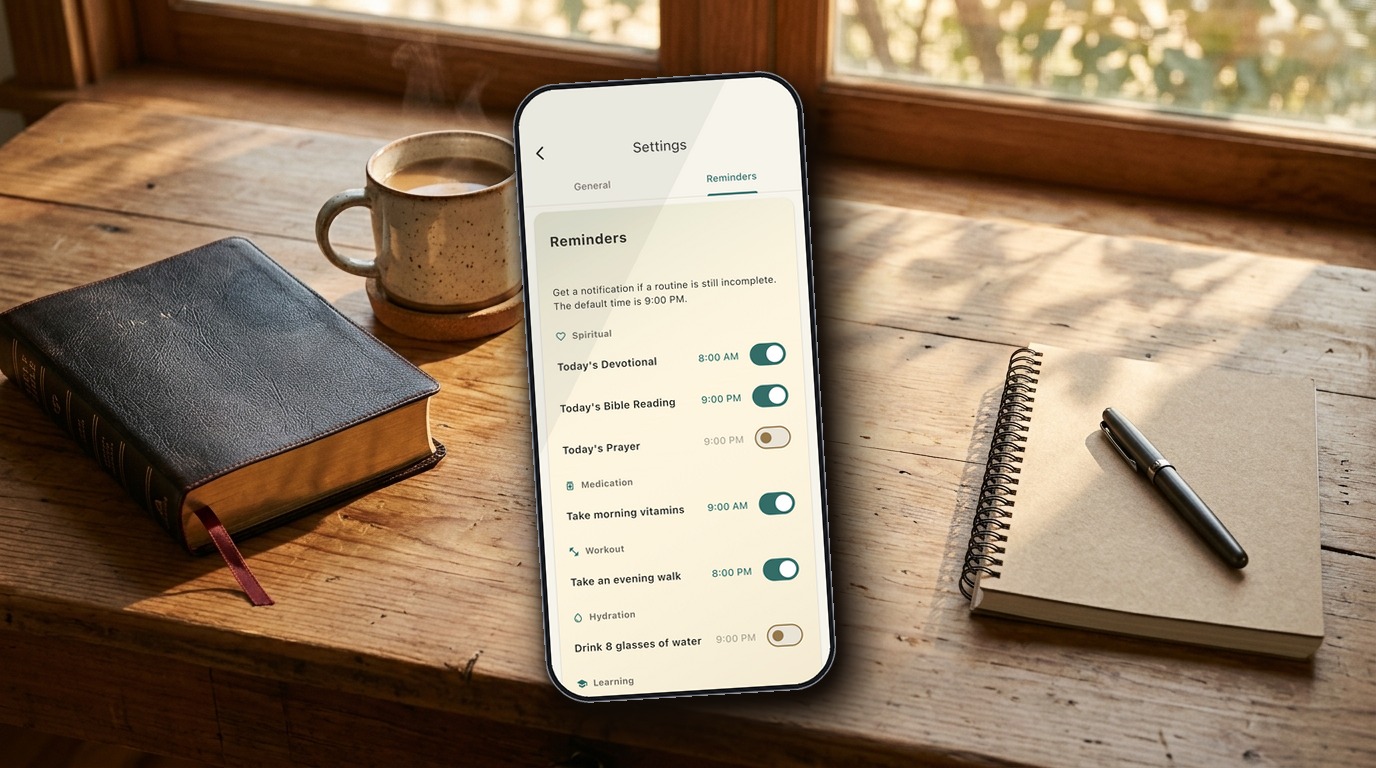
EveryDo 1.3: Christian Habit Reminders for Prayer and Bible Reading
Keep CodeInFaith in your Google feed
Add us as a preferred source to see more of our latest articles in Google Search.
TLDR; EveryDo 1.3 is a Christian habit tracker that can now remind you about prayer, Bible reading, devotional, and other routines you haven’t finished yet. It also adds a Home Screen widget for iOS and Android. Update on Android or iOS.
If you’ve ever meant to pray tonight, read your Bible before bed, or finish a devotional and then simply forgot, you’re in good company. Most Christian habits don’t fade because the desire is gone. They fade because the day got full and nothing brought them back to mind.
That’s the gap EveryDo 1.3 is built to close. It adds gentle reminders for routines you haven’t completed, and a Home Screen widget that keeps today’s routines in front of you. Here’s how both work, and how to set them up so they help rather than nag.
What Christian habit reminders in EveryDo do
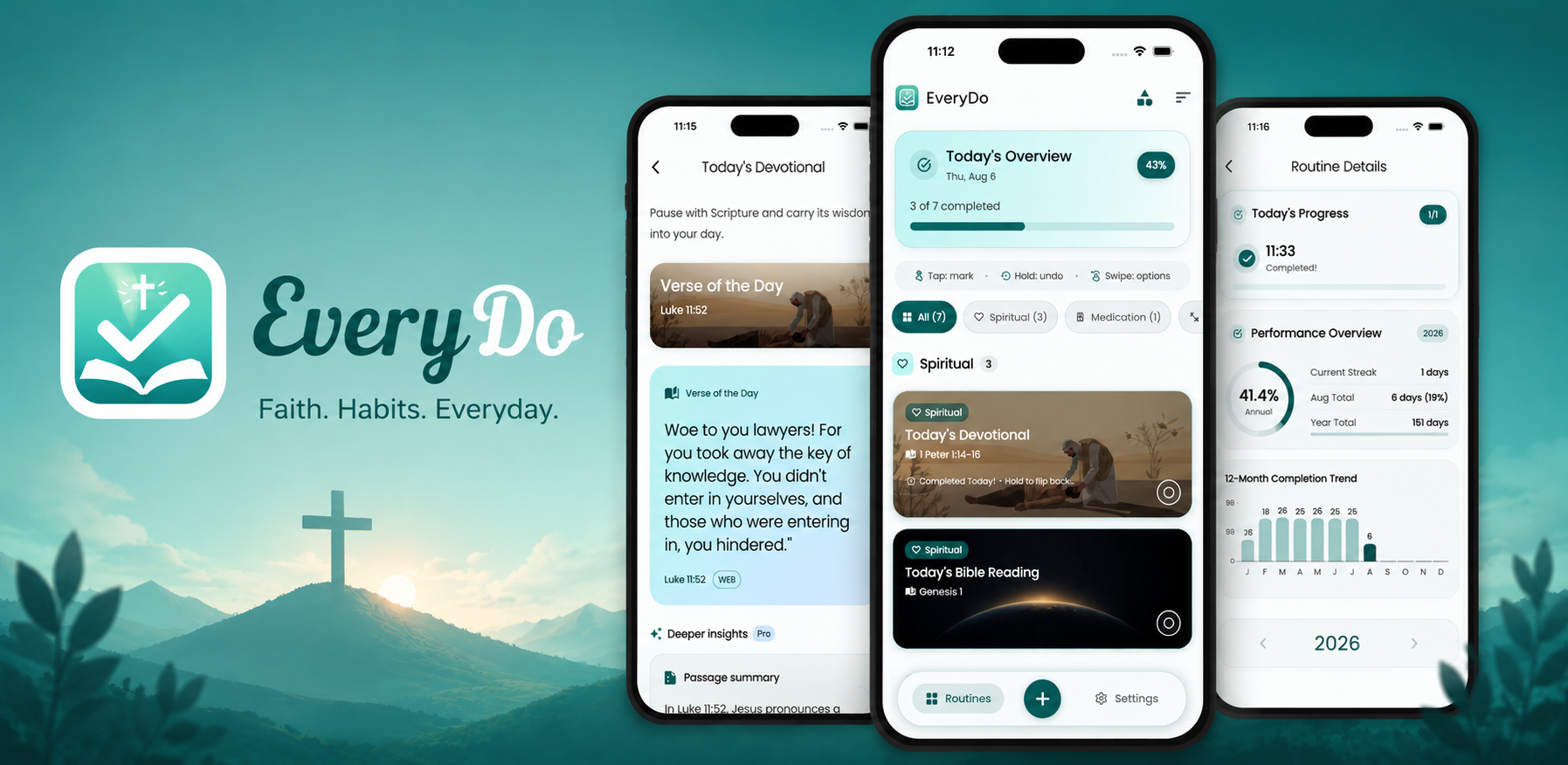
EveryDo is a habit and routine tracker with built-in Scripture, devotional, and prayer routines alongside everyday ones like medication, workouts, and water. In 1.3, any of them can have a reminder.
Here is what you can expect:
- A nudge for unfinished routines. Reminders are designed for routines that are still incomplete. The notification reads, “You haven’t completed [routine name] yet today.”
- One time per routine. Your morning devotional and your evening prayer don’t have to share a schedule. The default time is 9 PM, and you can change it.
- Opt-in by design. Nothing is scheduled until you turn a reminder on.
- Grouped by category. Settings lists your routines by category, such as Spiritual, Medication, Workout, and Hydration, so you can set several in one pass.
Reminders for incomplete routines are a Pro feature. You can open the Reminders settings without Pro, but turning a reminder on or changing its time opens the upgrade screen.
How to set a reminder for prayer or Bible reading
It takes about a minute:
- Open EveryDo and go to Settings > Reminders.
- Find the routine you want, such as Today’s Bible Reading or Today’s Prayer.
- Turn on its switch.
- Allow notifications when EveryDo asks. Reminders can’t be delivered without notification permission.
- Tap the time to change it if 9 PM isn’t right for that routine.
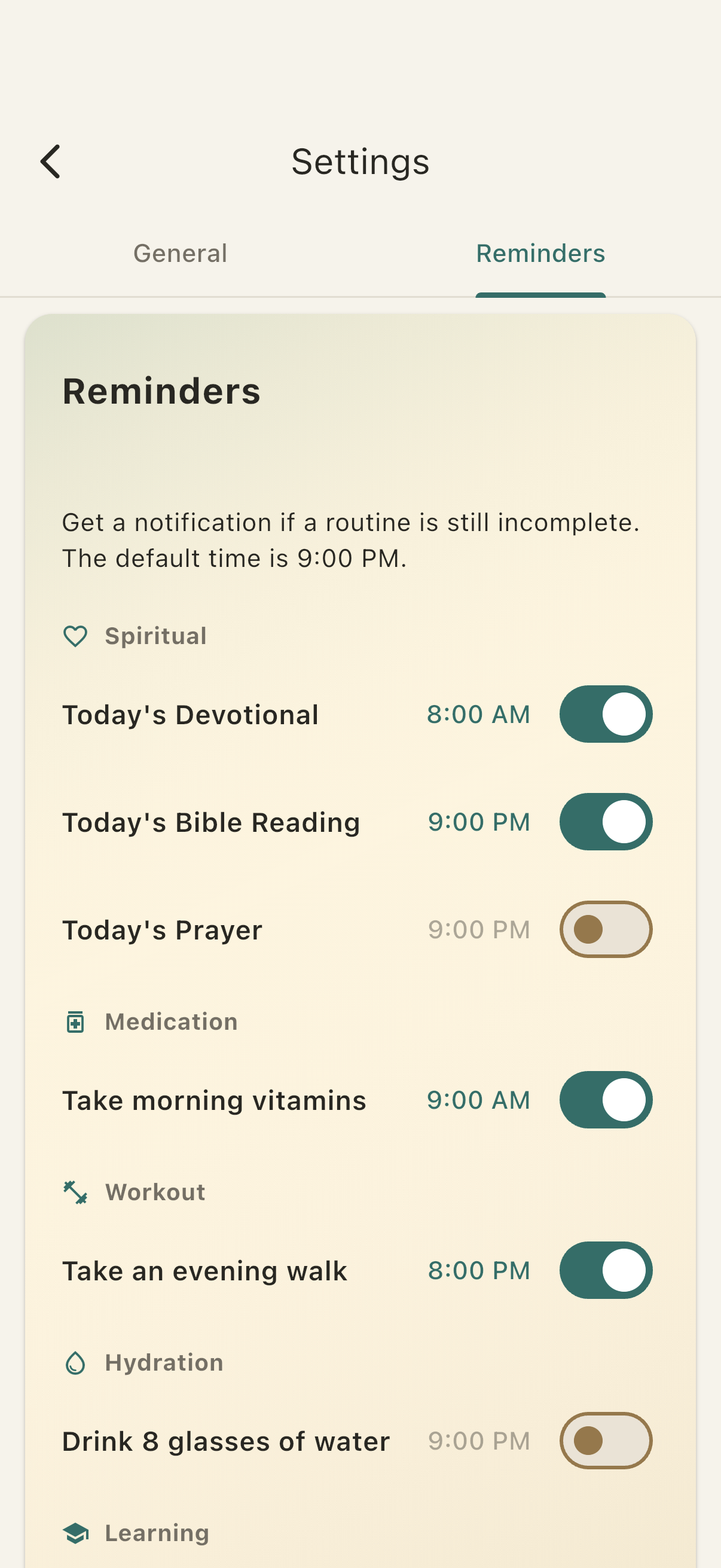
If you haven’t set any reminders up yet, the Home screen may show a setup prompt, so you don’t have to go hunting through Settings.
Choosing reminder times that fit real life
A reminder works best when it lands at a moment you can act on it. A few ideas, depending on the habit:
- Evening prayer. Pick a time just before your usual wind-down rather than when you’re already in bed. The 9 PM default is a reasonable starting point if you’re unsure.
- Bible reading. Set the reminder for a calm window, such as after dinner or before you scroll your phone at night, not in the middle of your busiest hour.
- Morning devotional. Put it a little after you wake up, when you actually have a few quiet minutes, instead of the second the alarm goes off.
- Everyday routines. Vitamins, a walk, or a glass of water can sit in the same list, so your spiritual rhythm and your daily basics live in one place.
Start with one or two reminders. If you turn on too many at once, they become background noise. It’s easier to add another once the first one feels natural.
Also keep in mind that on Android, a reminder may arrive at a different time than the one you picked, so treat your chosen time as a target.
A Home Screen widget for today’s routines
Reminders are a nudge. The widget is a quiet reminder that’s simply always there.
The new Home Screen widget, available on iOS and Android, shows today’s routines and your progress. A glance at your phone tells you what’s done and what’s still open, without opening the app.
How completing routines works from the widget:
- Everyday routines can be completed right from the widget.
- Scripture, devotional, and prayer reader routines open EveryDo when you tap them, so you complete them in the reader. That keeps those habits tied to actually reading or praying, not just tapping.
You choose which routines appear:
- iOS: long-press the widget and choose Edit Widget.
- Android: use the widget’s configuration screen when you add it.
A short list of the routines that matter most usually works better than a crowded one.
Smoother widget updates
Since 1.3 first shipped, follow-up patch releases have fixed the widget’s daily progress refresh and an issue with adding the widget on Android. If you tried an early build and something looked off, update to the latest version.
Where to go next
If you’re building a steady rhythm of Scripture and prayer, these may help:
- How a Daily Bible Reading Habit Can Draw You Closer to God
- EveryDo Is More Than a Christian Habit Tracker
- EveryDo on CodeInFaith
Try EveryDo 1.3
Update EveryDo, add the widget, and turn on a reminder for one routine you’d like to stay faithful to.
Frequently asked questions
Is there a Christian habit tracker that sends reminders?
Yes. EveryDo 1.3 can remind you about a routine you have not finished yet, including Bible reading, devotional, and prayer routines. Reminders are opt-in, each routine gets its own time, and enabling them requires EveryDo Pro.
How do I set a Bible reading or prayer reminder in EveryDo?
Open Settings > Reminders, find the routine, turn its switch on, and choose a time. EveryDo asks for notification permission the first time you enable a reminder. The default time is 9 PM.
Are EveryDo reminders free?
You can see the Reminders settings for free, but turning a reminder on or changing its time requires EveryDo Pro. The Home Screen widget is available without Pro.
Will I get a reminder if I already finished the routine?
Reminders are designed for routines that are still incomplete. The notification reads "You haven't completed [routine] yet today," so it is meant for the routines you have not gotten to.
Can I set more than one reminder time for a routine?
Each routine has one reminder time. You can give different routines different times, for example a morning devotional and an evening prayer.
Why did my Android reminder arrive at a different time?
On Android, a reminder may arrive at a different time than the one you picked, so treat the time you set as a target rather than a guarantee.
Can I complete a Scripture reading from the widget?
Not directly. Scripture, devotional, and prayer reader routines open EveryDo so you can complete them in the reader. Ordinary routines can be completed from the widget.