Photo Frame for Tablet Is Now on Android: Turn Your Old Tablet into a Private Photo Frame
Send photos from your phone over Wi-Fi, pick a frame, and let the slideshow run. No account, no cloud, no subscription.
Keep CodeInFaith in your Google feed
Add us as a preferred source to see more of our latest articles in Google Search.
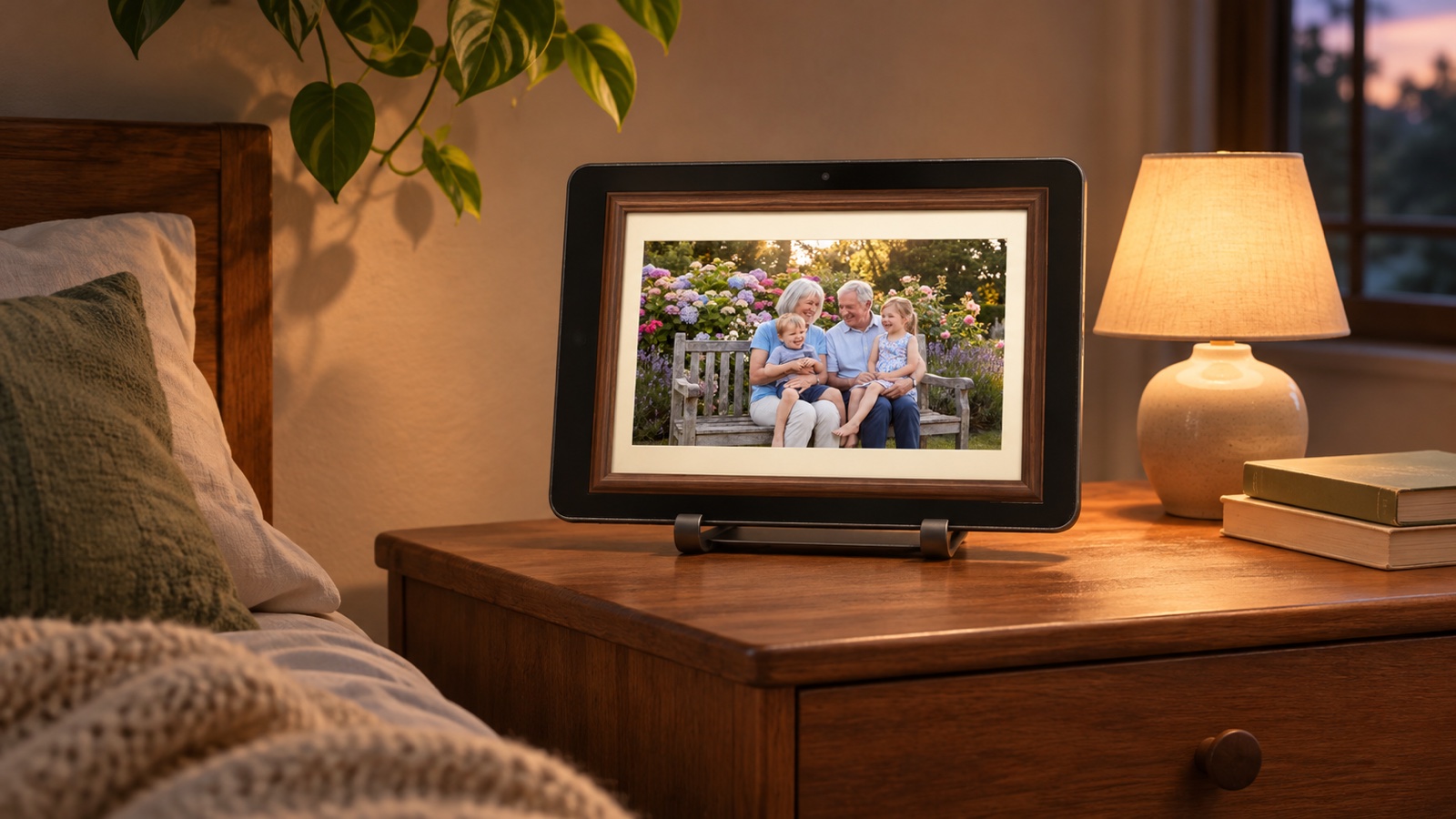
Most homes have one: an old tablet in a drawer that still turns on but no longer gets used. Its screen is bigger and sharper than most digital photo frames, and you already own it.
Photo Frame for Tablet gives that tablet a new job. Pick your favorite photos, choose a frame, and let the slideshow run on your desk, shelf or bedside table. As of today, the app is available on Google Play for Android tablets and phones.
The App Store version for iPad and iPhone is coming soon.
Send photos from your phone over Wi-Fi
Most digital photo frames want an account, an email address or a cloud service before you can add a single photo. Photo Frame doesn’t. Photos go straight from your phone to the frame over your own Wi-Fi.
- On the frame, tap Receive Photos. A QR code appears.
- On your phone, open Photo Frame, tap Send Photos and scan the code.
- Pick photos. They start sending right away.
Can’t scan the code? Type the 4-digit code shown on the frame instead.
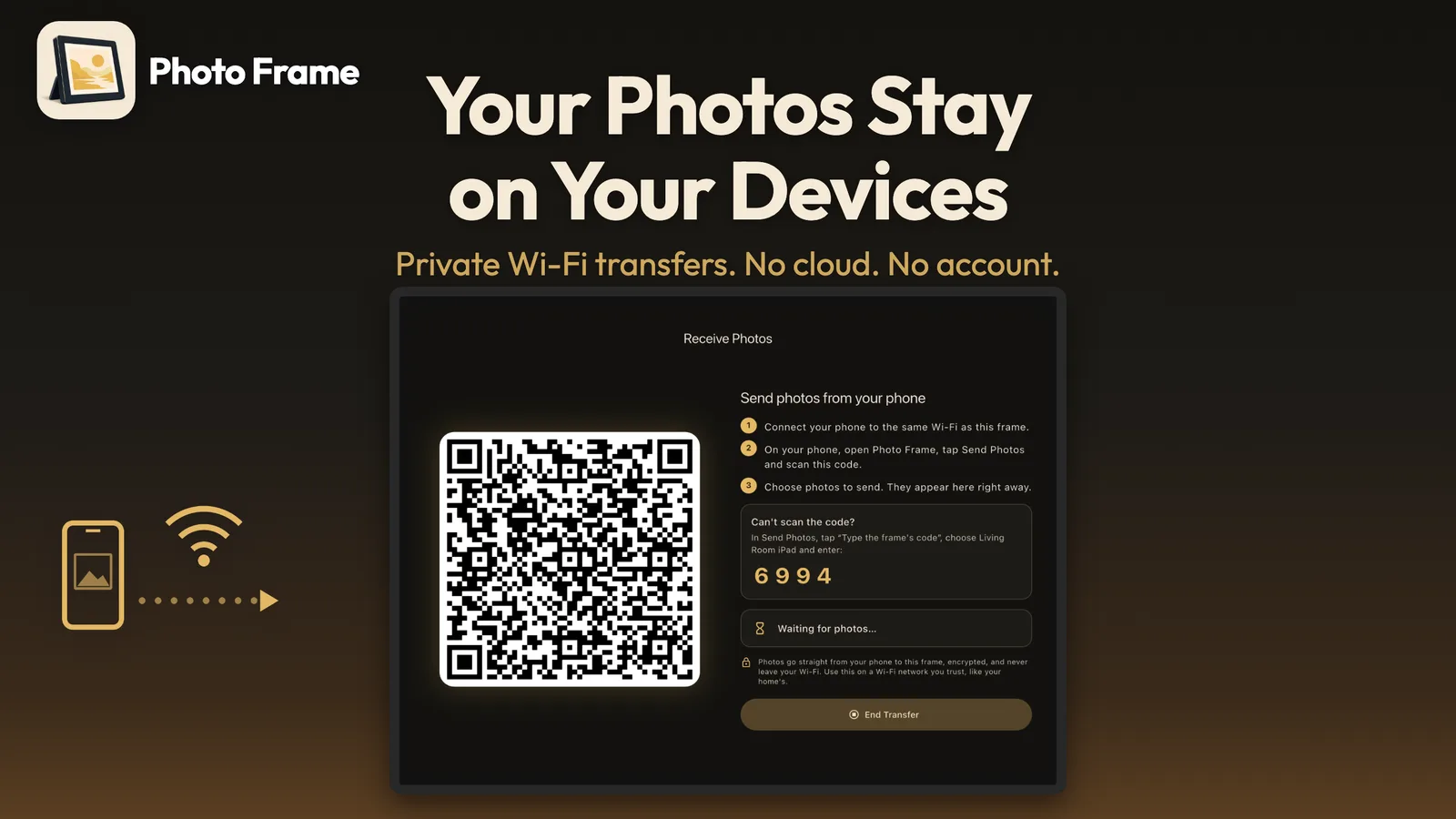
Your family photos stay in your family
- Photos are stored only inside the app on your device.
- Wi-Fi transfer works only on your local network. Nothing is uploaded to the internet.
- Every transfer is encrypted, even on your home Wi-Fi, with a new key each time.
- When you scan the frame’s QR code, your phone also checks that it is sending to that exact frame.
- No account and no third-party ads.
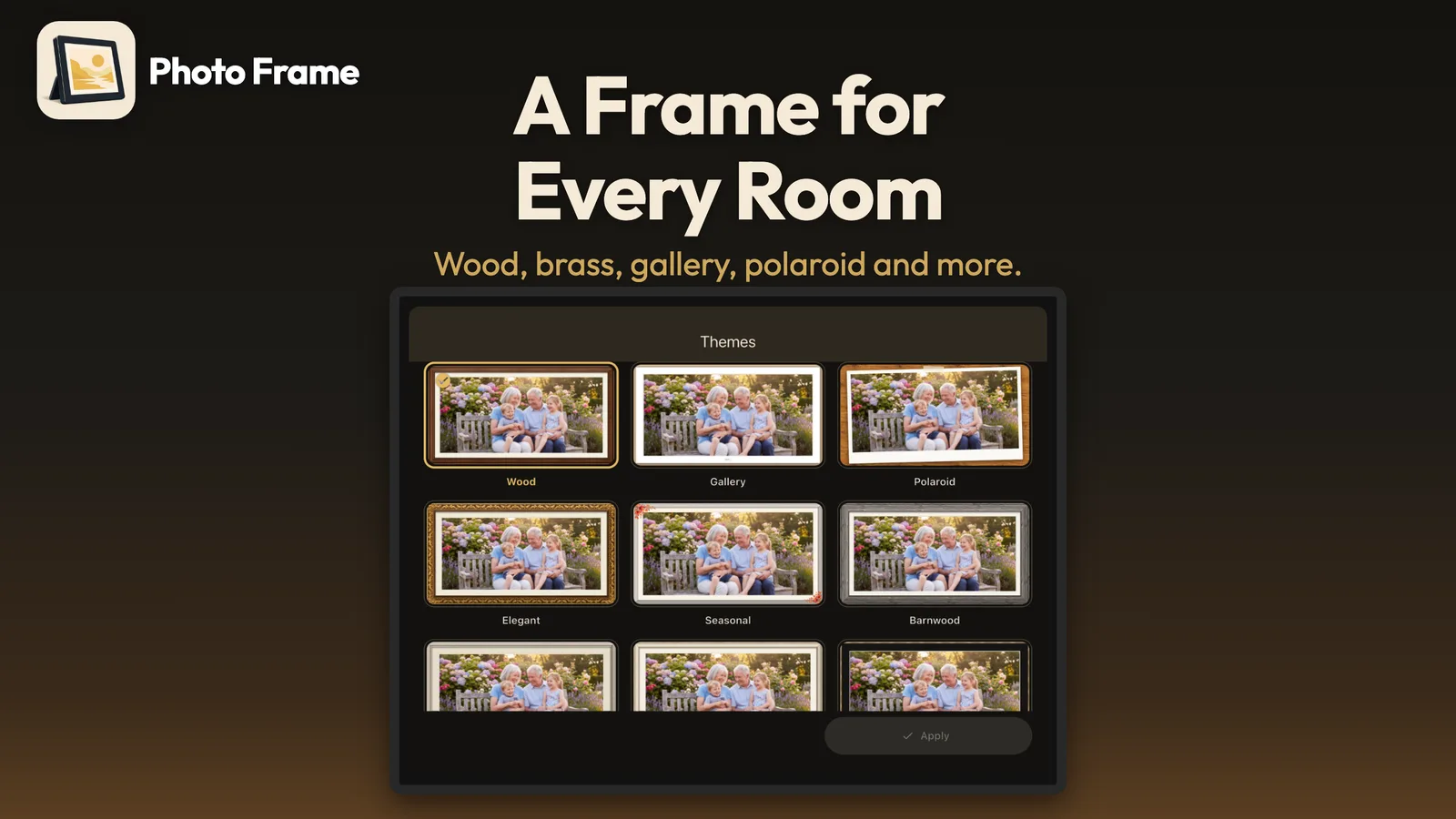
A frame to suit any room
Each theme brings its own moulding, mat and matching animation: Wood, Gallery, Polaroid, Elegant, Barnwood, Brass, Shadow Box and more. Minimal and Classic are free, and you can try any Pro theme with a short preview before you buy.
For the holidays, Christmas, New Year, Valentine’s, Easter and Thanksgiving frames come with gently falling snow, confetti, hearts, petals or leaves.

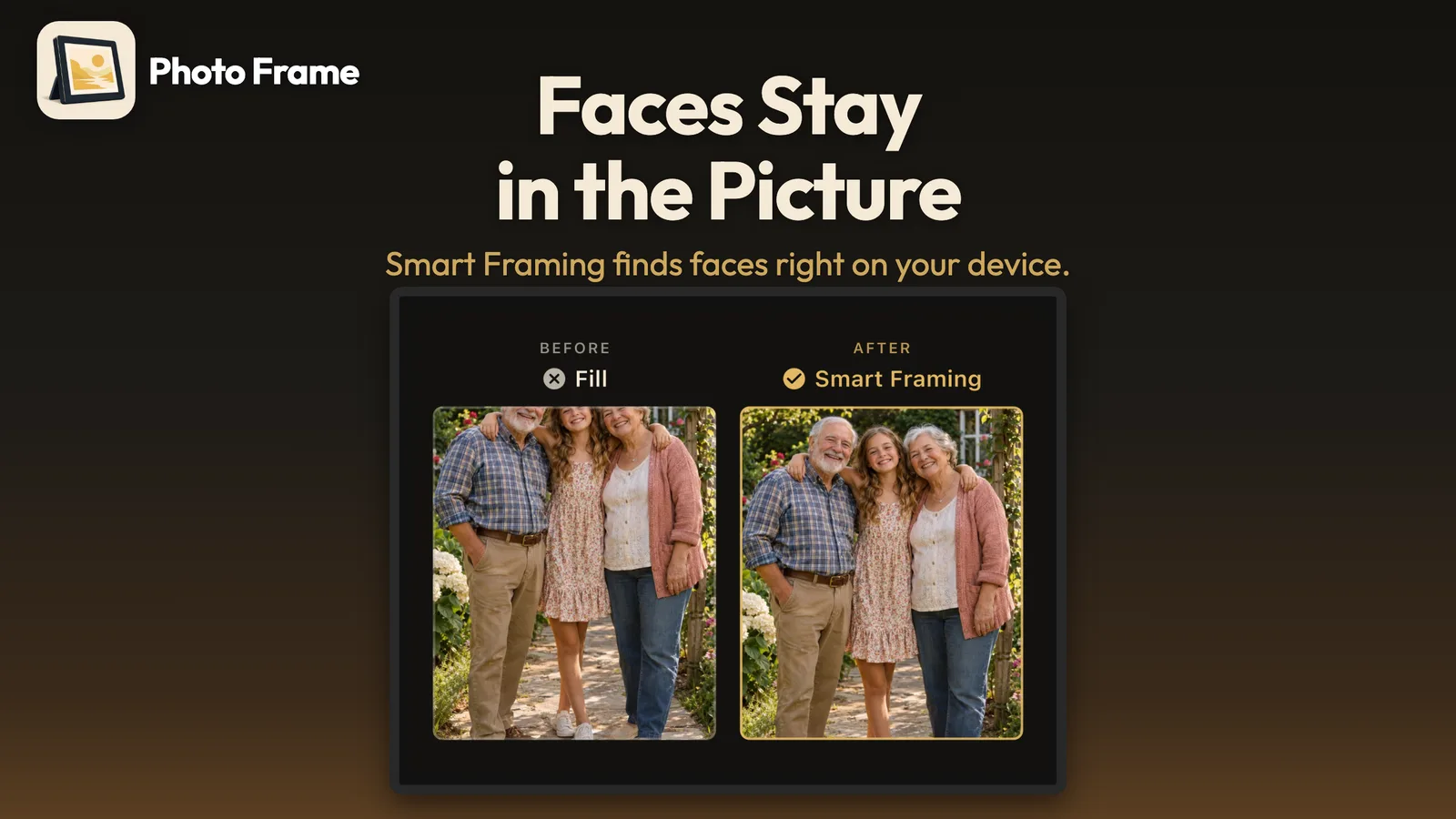
No more cut-off heads
Old tablets are wide, and many phone photos are tall. When a tall photo fills a wide screen, a plain crop keeps the middle and often cuts off the faces. Smart Framing moves the crop to follow the faces instead. Faces are found on your device, and nothing is uploaded.
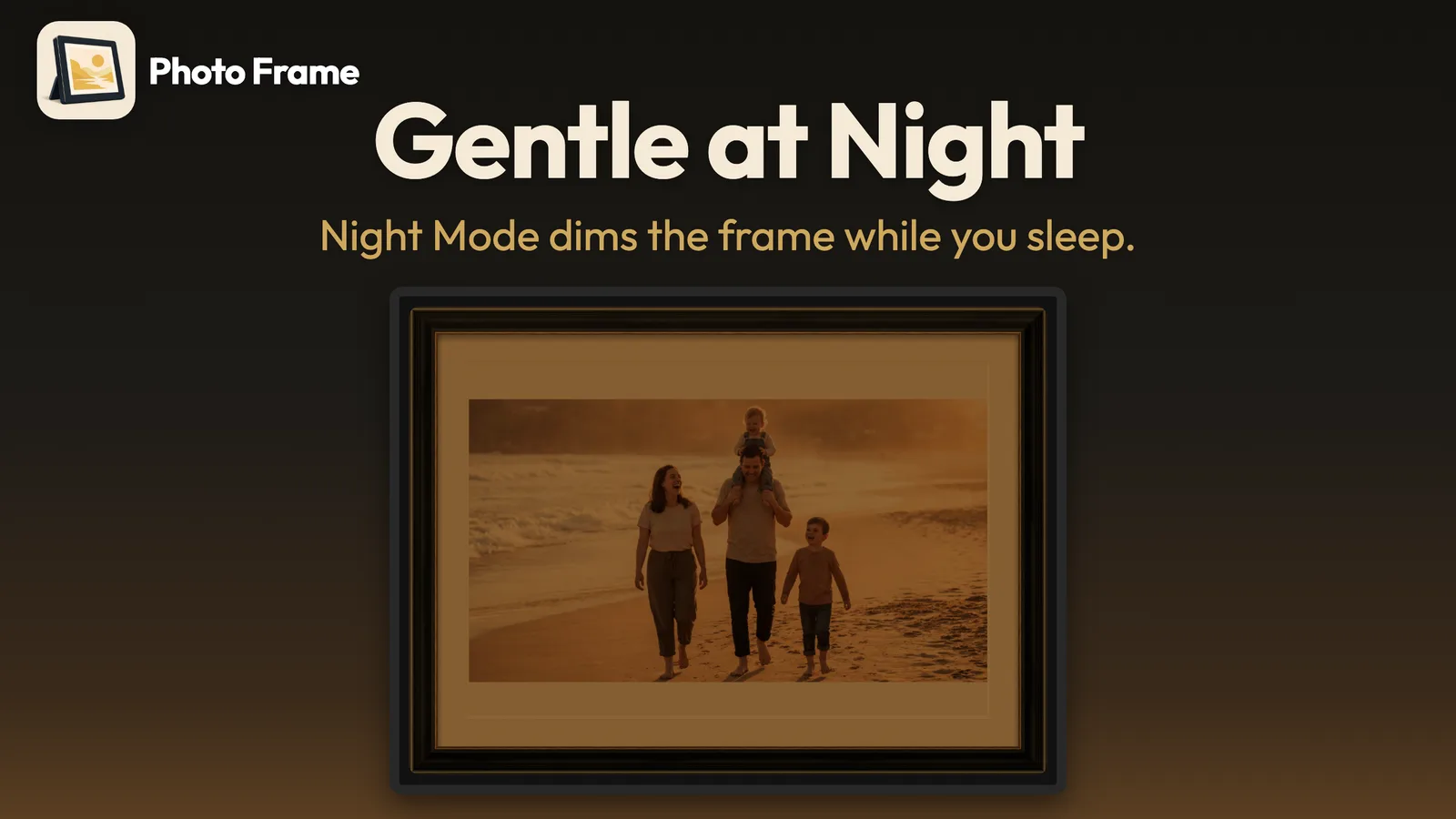
Calm at night
A bright screen on the nightstand can keep you awake. With Night Mode, during the night hours you choose, the frame dims and photos take on a warm, dark look.
A slideshow you set once
- Full screen, and the screen stays awake
- Tap for controls, swipe between photos
- Shuffle or in order
- 5 seconds to 1 minute per photo
- Fit the whole photo or fill the screen
- Portrait and landscape
Fade and Slide transitions are free. Pro adds Smooth Zoom, Ken Burns, Iris, Page Turn, Mosaic and more, plus Automatic, which uses a different transition for every new photo.
Free to start, Pro once
Photo Frame is free to use. The free version includes the full-screen slideshow, Wi-Fi photo transfer from your phone, the Minimal and Classic frames, and the Fade and Slide transitions.
Photo Frame Pro is a one-time purchase, not a subscription. It adds:
- Every premium frame, including holiday frames
- Every premium transition, plus Automatic
- Smart Framing
- Night Mode
- Future premium themes
Give your old tablet a new job
Charge up that tablet in the drawer, install Photo Frame, and send it a few favorite photos from your phone. Keep it plugged in on a shelf, desk or bedside table, and you have a photo frame.
Want to try the frames before you install? Visit the Photo Frame page.
Questions, or an idea for a new frame? Email us at [email protected].
Frequently asked questions
Is Photo Frame for Tablet available on Android?
Yes. Photo Frame for Tablet is available now on Google Play for Android tablets and phones. The App Store version for iPad and iPhone is coming soon.
Do I need an account or cloud storage?
No. Photo Frame has no account and no cloud. Photos are stored only inside the app on your devices.
How do I get photos onto the frame?
Install Photo Frame on your phone too. On the frame, tap Receive Photos. On your phone, tap Send Photos and scan the QR code. Both devices need to be on the same Wi-Fi.
Is Photo Frame Pro a subscription?
No. Photo Frame Pro is a one-time purchase that unlocks every premium frame and animation, Smart Framing and Night Mode.
Will the screen stay on?
Yes. The screen stays awake while the slideshow runs, so keep the device plugged in. With Pro, Night Mode dims it during the hours you choose.