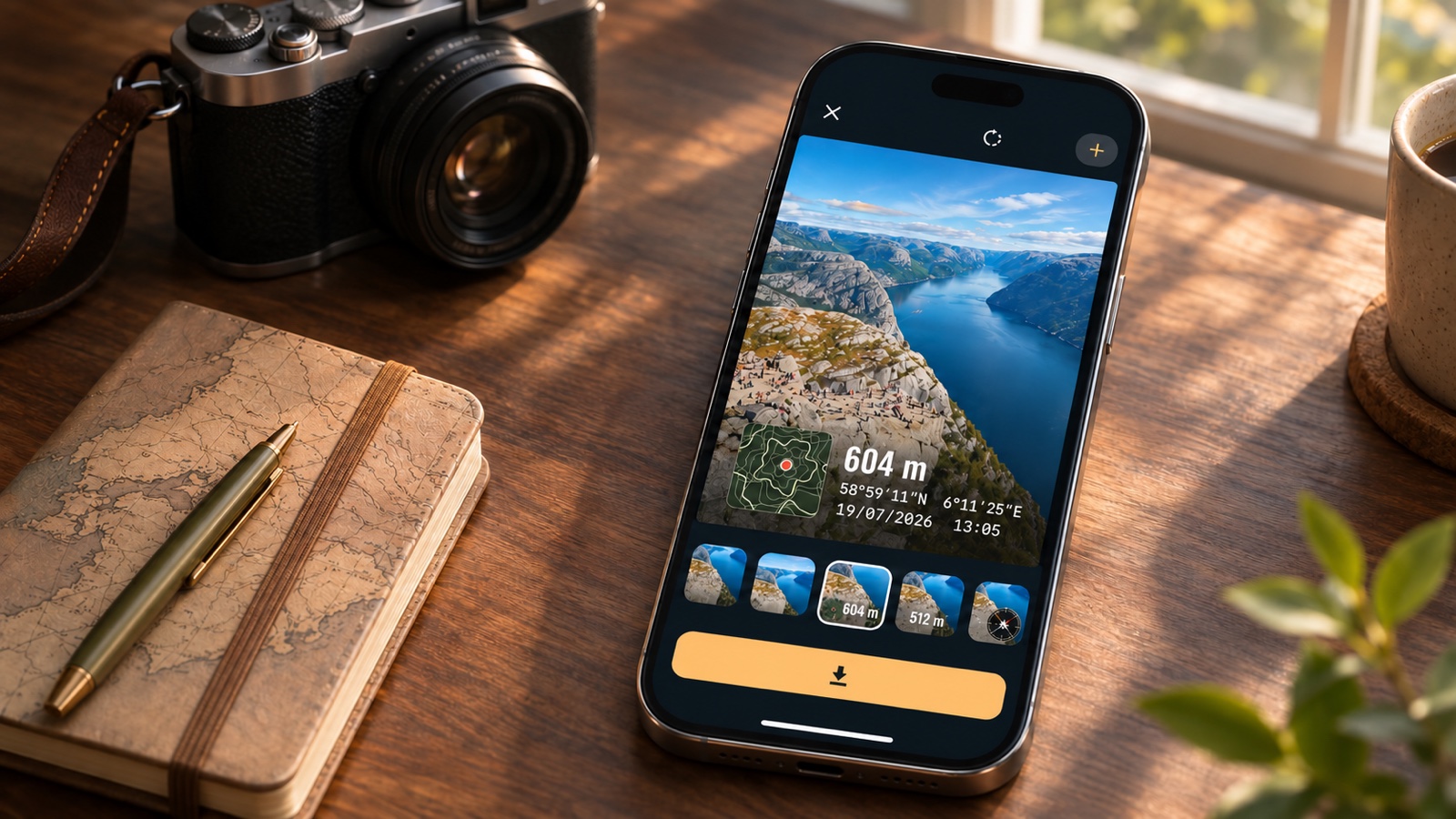
Stamp Your Pic Is Now on iPhone: A GPS and Timestamp Camera With No Ads
Print the date, time, place, and GPS coordinates on your photos in a design you choose. Now on the App Store for iPhone and iPad, with no ads, no account, and no subscription.
Keep CodeInFaith in your Google feed
Add us as a preferred source to see more of our latest articles in Google Search.
A photo shows you what happened. It rarely tells you when it happened, or where.
Stamp Your Pic puts that information right on the picture. It’s a GPS and timestamp camera that prints the date, time, place, and GPS coordinates onto your photo, in a design you pick. It came to Android last week, and today it’s available on the App Store for iPhone and iPad.
A timestamp camera without the clutter
Most timestamp camera apps get the basics right and then bury them under banner ads and pop-ups. We built Stamp Your Pic the other way around.
- No ads. Not on the free version, not with Pro.
- No account. Open the app and take a picture.
- No subscription. Pro is a one-time purchase.
The camera should feel calm and quick, especially when you’re trying to catch a moment before it’s gone.
How it works on iPhone
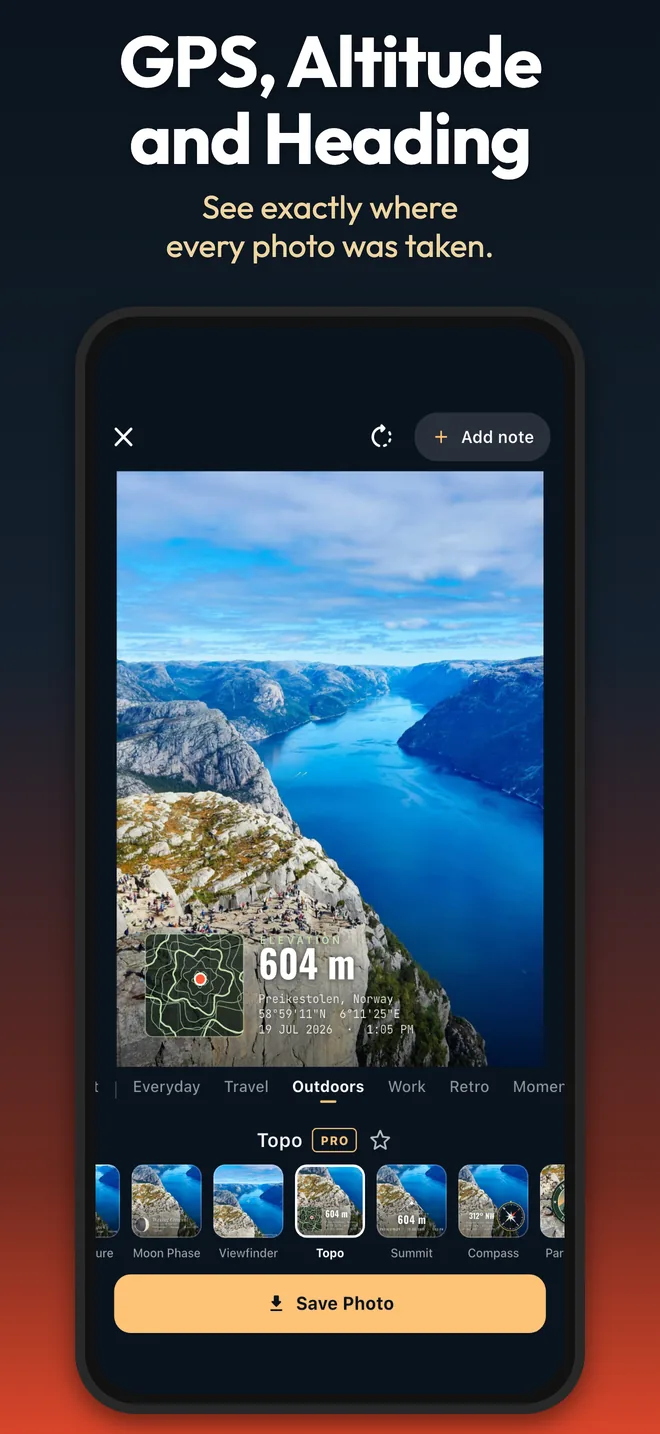
- Take the photo. The moment is locked in at the shutter: time, place, GPS coordinates, altitude, and compass heading.
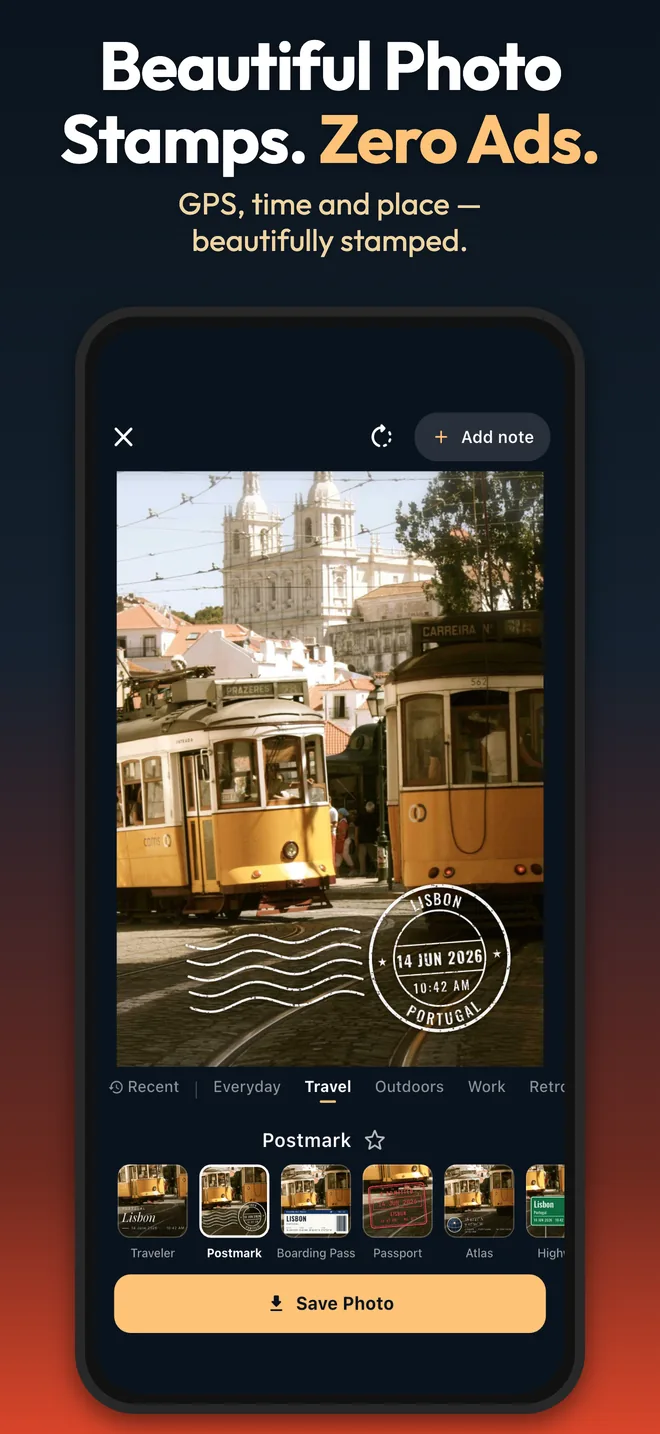
- Swipe through stamps. Each design is drawn live on your own photo, so you see exactly what you’ll save.
- Save the one you like. The stamped photo goes to your Photos library, ready to share.
Already took the picture? Pick it from your library, and Stamp Your Pic uses the date and GPS location saved in the file.
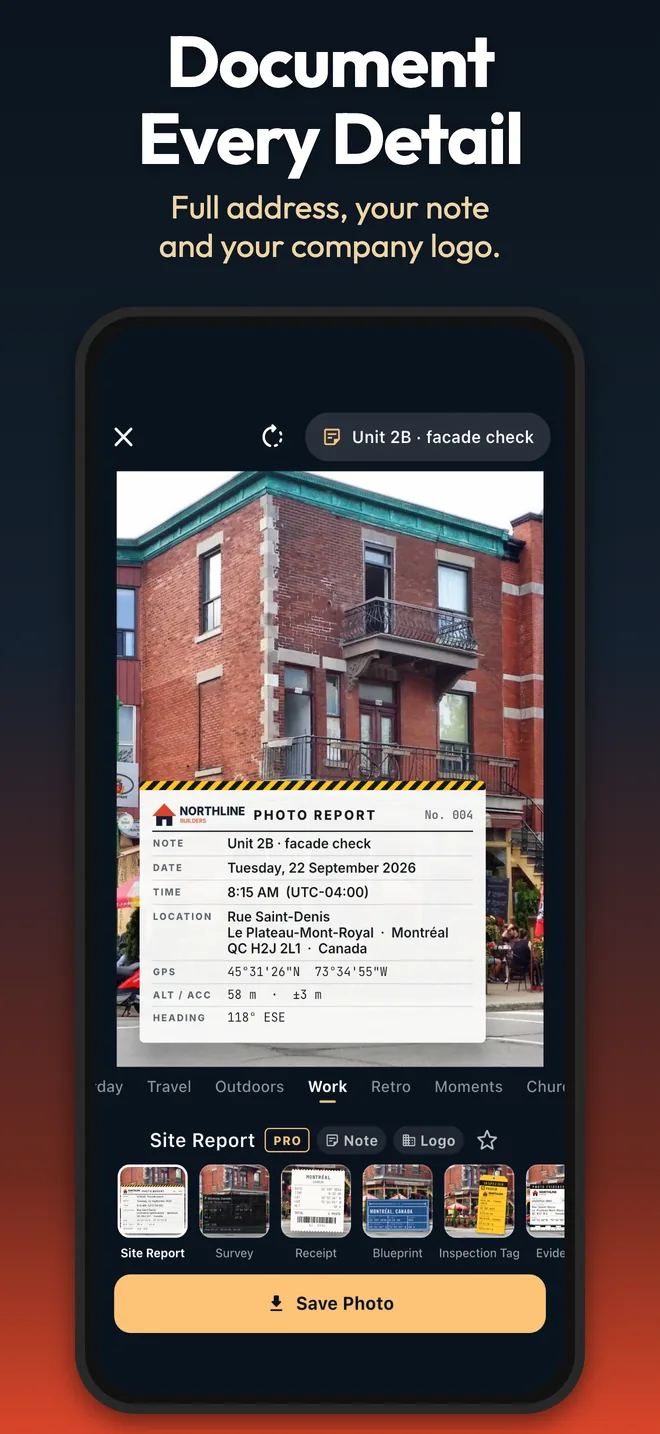
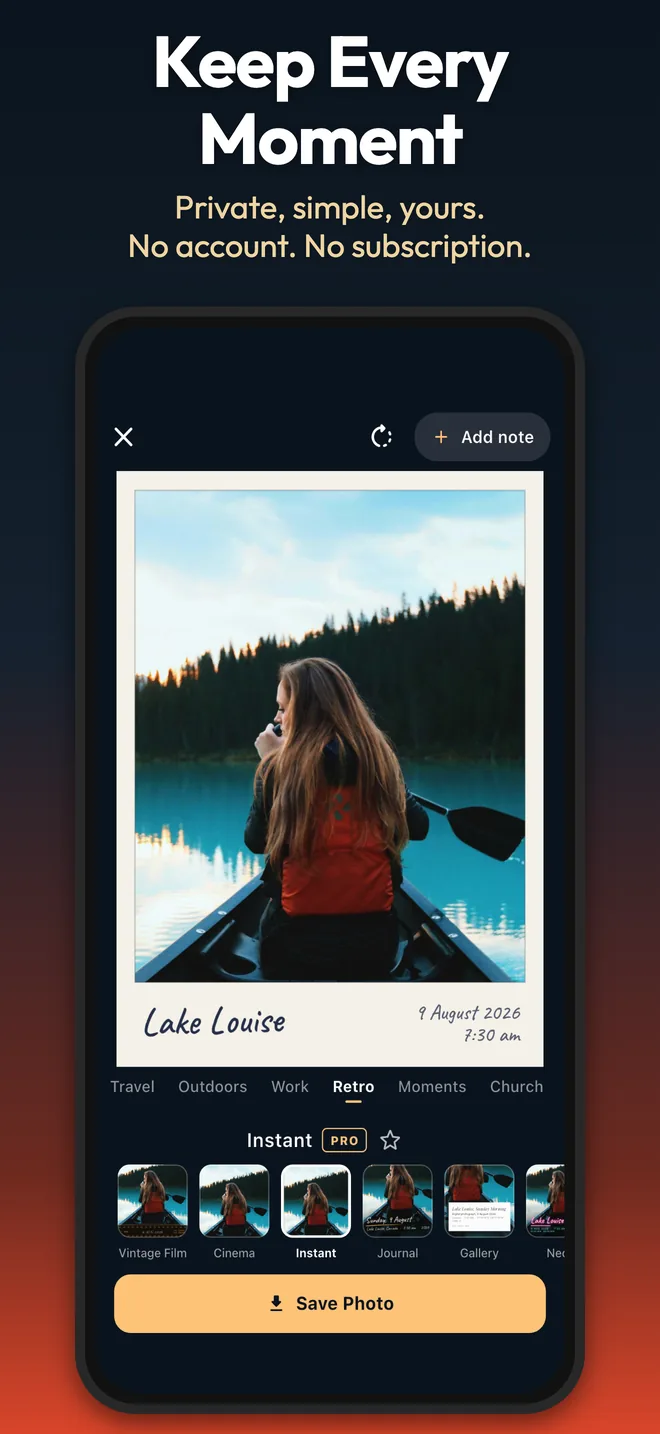
What a stamp can show
Every design pulls from the same set of details, captured when you press the shutter:
- Date and time, in the photo’s local time zone
- Place name and full street address
- GPS coordinates in DMS, decimal degrees, UTM, or MGRS
- Altitude and accuracy in meters or feet, plus compass heading
- Your own note, such as “Lot 14 roof” or “Honduras 2026”
- Your logo on Work and Church stamps (with Pro)
100+ stamp designs
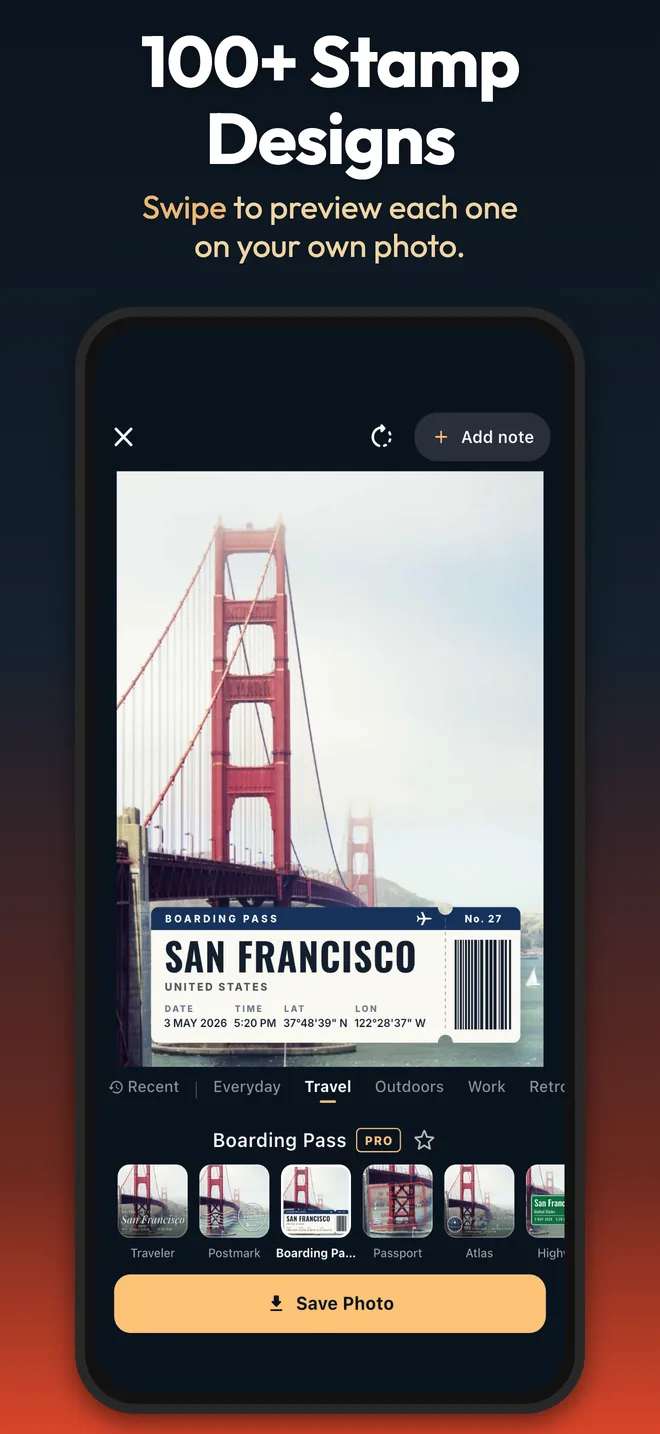
The designs are grouped into nine categories: Everyday, Travel, Outdoors, Work, Property, Retro, Moments, Events, and Church. You’ll find a clean clock, a 90s date-back, boarding passes, postmarks, topo maps, inspection tags, site reports, and film strips. Star your favorites, and the stamps you used recently are one tap away.
Who it’s for
Field work. Contractors, inspectors, delivery drivers, and field teams get photo proof of when and where. A Site Report or Inspection Tag stamp carries the address, your note, and your company logo.
Travel. A Postmark or Boarding Pass stamp turns every stop into a souvenir, with the place and date already on it.
Church life. The Church collection has 12 designs for mission trips, baptisms, VBS, serve days, prayer walks, and more. We wrote about them in detail when we launched on Android, and every one of them is on iPhone too.
Your photos stay yours
- Your photos are never uploaded. They stay on your device.
- No account. There’s nothing to sign up for.
- You choose the GPS data. The saved photo keeps its capture time. GPS is written into the file only if you turn that on in Settings.
- Light analytics only. Crash reports and basic usage, such as which design was saved. Never your photos, location, or notes.
To show a place name, the coordinates go to Apple’s built-in geocoding service on your iPhone.
A real camera, too
Stamp Your Pic is a full camera, not only an overlay tool. It has zoom, tap to focus and expose, AE/AF lock, 4:3, 16:9, or 1:1 framing, a grid, a self-timer, and full-resolution or smaller photos. On iPad, the camera rotates between portrait and landscape.
The app is available in 8 languages: English, Spanish, Portuguese, French, German, Japanese, Korean, and Simplified Chinese.
Free to start, Pro once for life
Stamp Your Pic is free to download. The free version includes 9 designs, one in each category, and 2 saves per day.
Lifetime Pro is a one-time purchase. It unlocks every premium design, unlimited saves, your logo on stamps, and every design we add later. There’s no subscription and no ads on either plan.
Download Stamp Your Pic
Stamp Your Pic is available now on the App Store for iPhone and iPad, and on Google Play for Android. See the Stamp Your Pic page for more.
Have an idea for a stamp we should add? Write to us at [email protected].
Frequently asked questions
Is Stamp Your Pic available on iPhone?
Yes. Stamp Your Pic is now on the App Store for iPhone and iPad. It is also on Google Play for Android.
Does Stamp Your Pic have ads?
No. Stamp Your Pic has no ads, on the free version or with Lifetime Pro.
Is Stamp Your Pic free?
Yes, it is free to download. The free version includes 9 stamp designs, one in each category, and 2 saves per day. Lifetime Pro is a one-time purchase that unlocks every design and unlimited saves.
Can I add the date and location to photos I already took?
Yes. Pick a photo from your library and Stamp Your Pic uses the date and GPS location already saved in that photo.
Are my photos uploaded anywhere?
No. Your photos stay on your device and are never uploaded. There is no account to create.