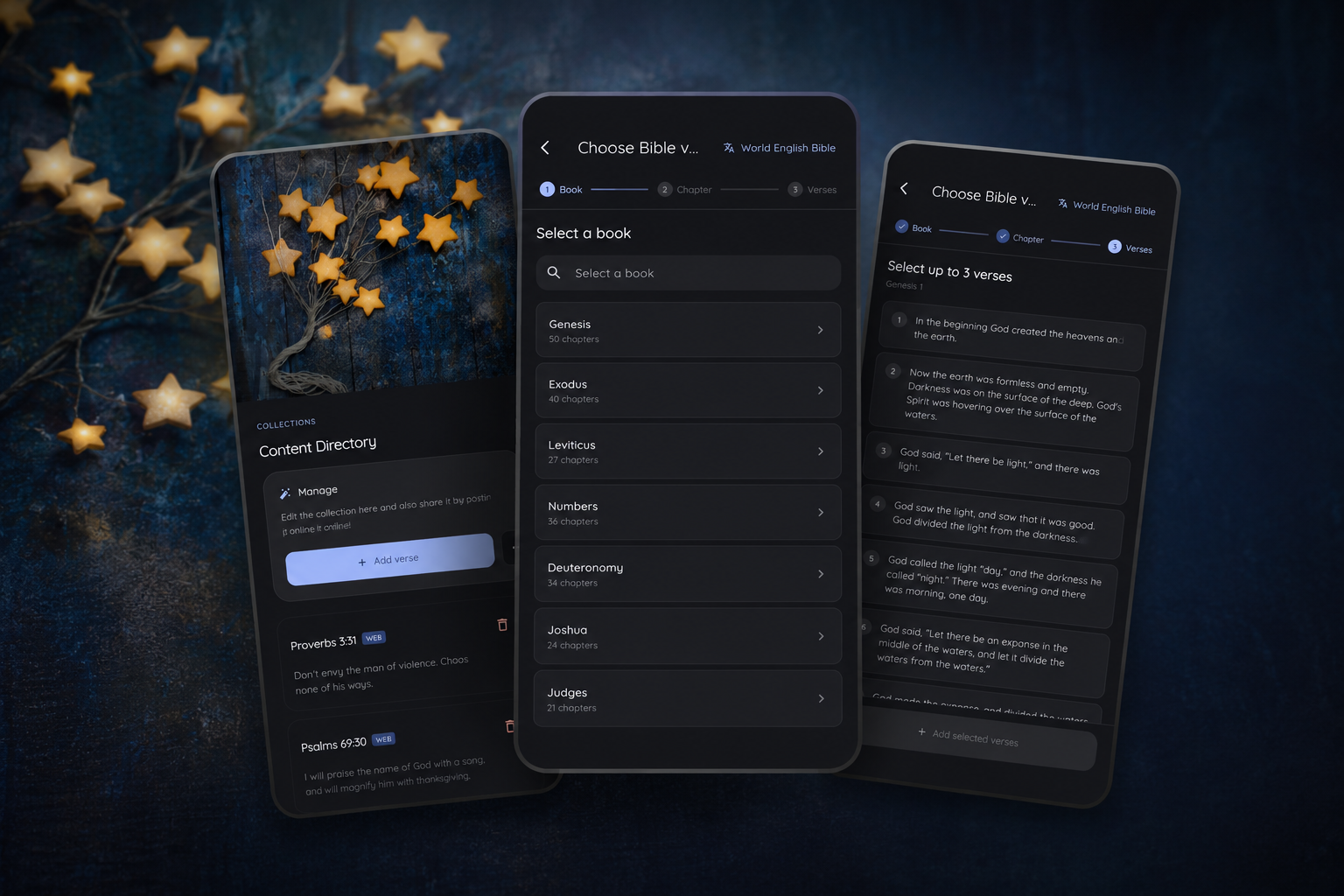
A Bible Verse Clock App That Lets You Choose Your Own Scriptures
Keep CodeInFaith in your Google feed
Add us as a preferred source to see more of our latest articles in Google Search.
Sometimes the verse you want to keep close is not part of a preset collection.
It may be a promise you return to often. A short passage your family is memorizing. A few verses that helped you pray through a specific season. Bible Clock has supported custom collections for a while, but Bible Clock 2.14.3 makes that experience feel more natural: you can now add Scripture through a guided verse picker instead of typing everything manually.
The goal is simple. If Bible Clock is going to keep God’s Word visible throughout the day, it should also make it easier to choose the verses that matter most to you.
A guided verse picker for custom Bible verse collections
The biggest change in Bible Clock 2.14.3 is the new guided flow for adding verses to custom collections. Custom collections are part of Bible Clock Pro, so this is for people who want to make the app more personal with their own saved passages.
Instead of starting with a blank field, you can move step by step through:
- Bible version
- book
- chapter
- verse selection
For supported passages, you can select up to three contiguous verses at a time. That makes custom collections more useful for short passages, not only single-verse reminders.
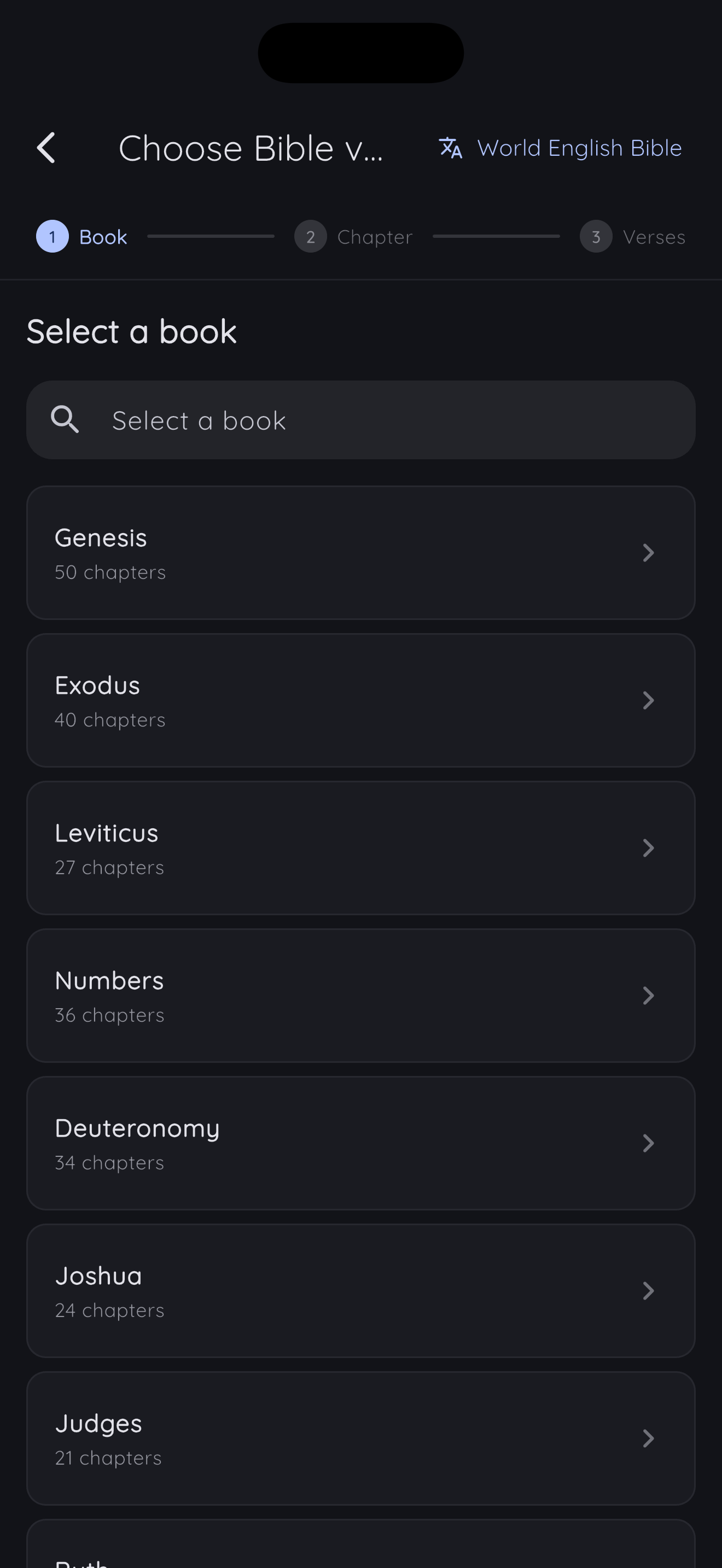
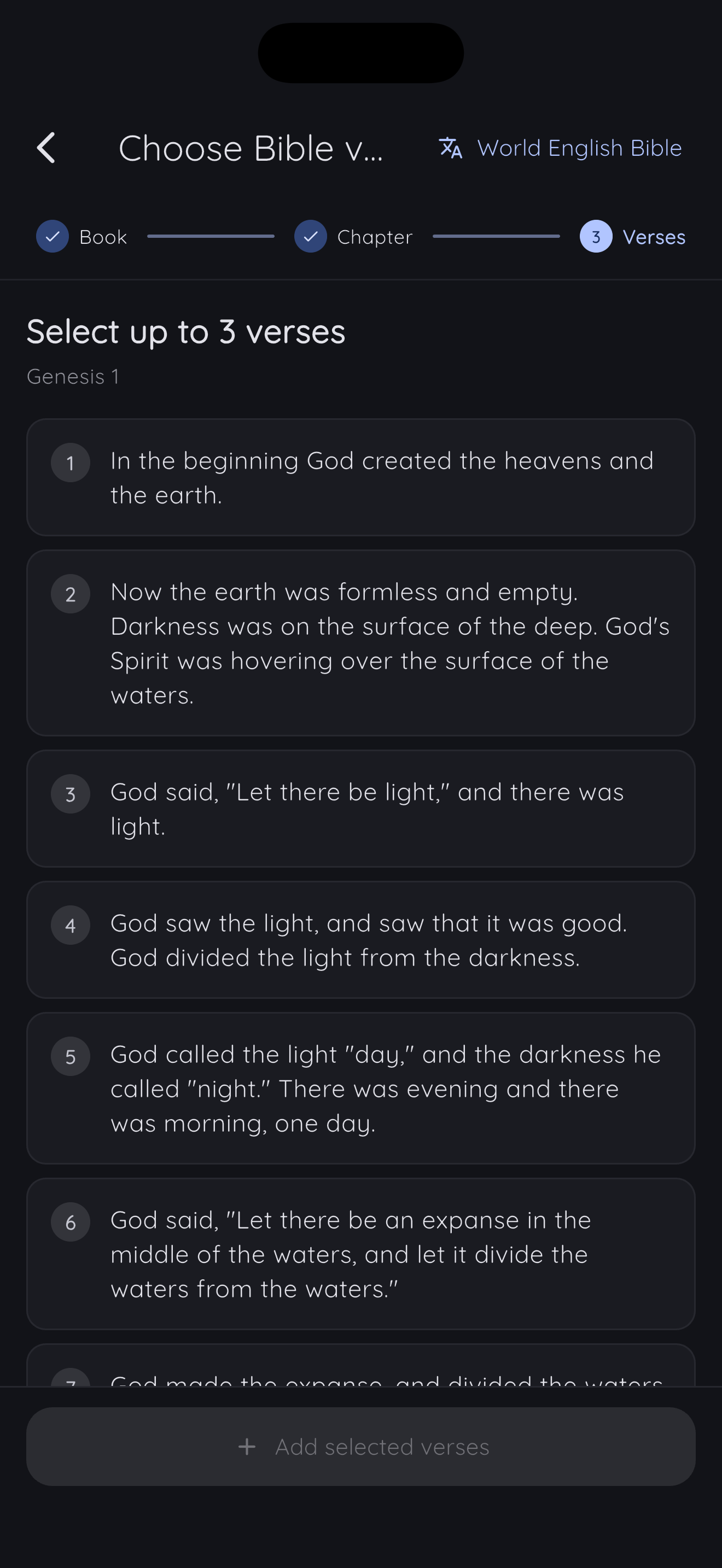
That matters in everyday use. A verse clock is most helpful when it can hold both familiar one-line anchors and slightly longer passages that need a little more room. You might add Romans 8:28 as a single reminder, or choose a short sequence from Psalm 23, Matthew 6, or Philippians 4 when you want a fuller thought to stay visible on your desk, nightstand, or old tablet display.
Custom collections should feel personal, but they should not feel tedious. The new picker makes that personal setup easier to complete.
Tap the Home verse for faster actions
Bible Clock 2.14.3 also makes the verse on Home more useful when a passage catches your attention.
Now, tapping the current verse opens an inline options overlay where supported. From there, you can move quickly into the actions people most often need:
- open Reflection
- share the verse
- save it to favorites
- move to the previous or next verse
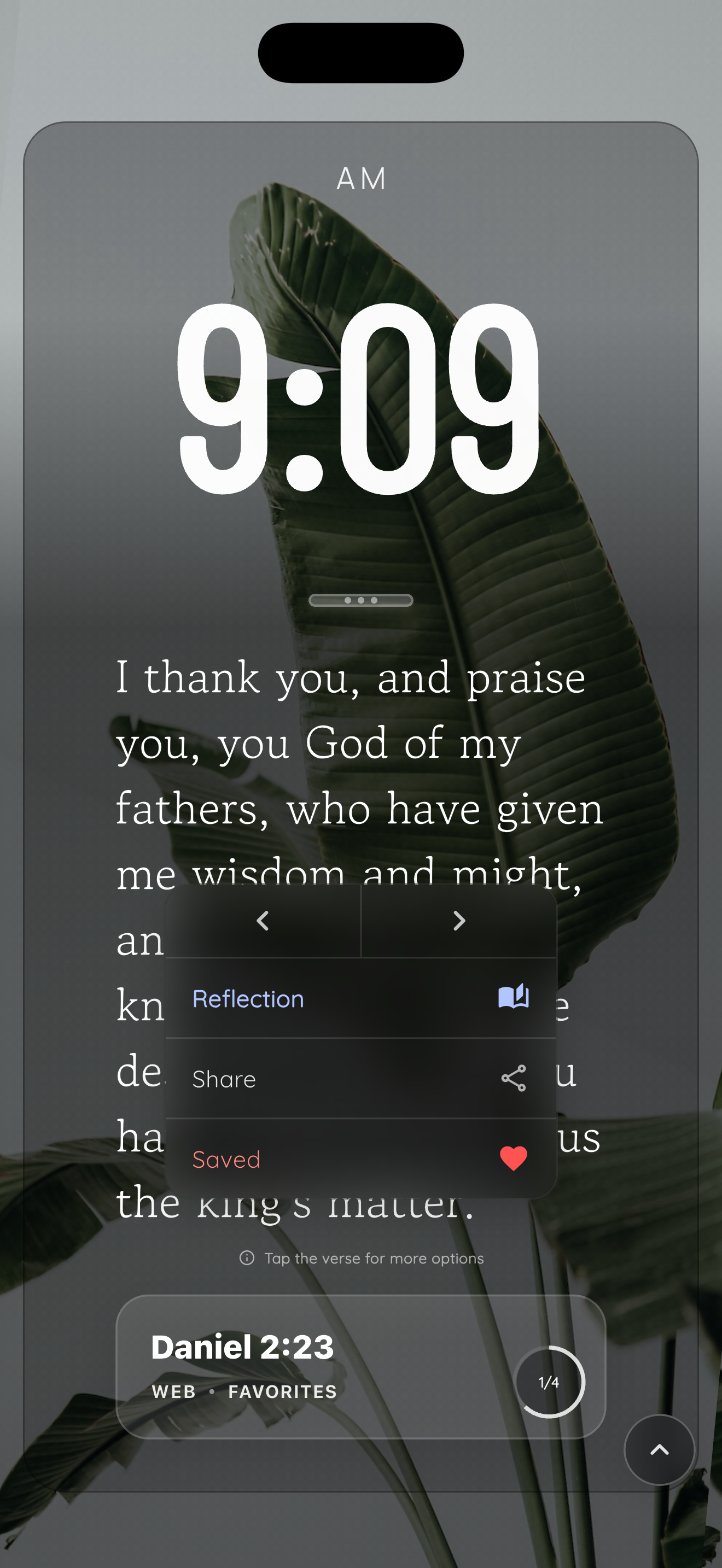
That keeps the interaction close to the moment. You see a verse. You tap it. You decide whether to reflect, save, share, or keep browsing without hunting through a separate menu.
For a Bible verse clock, this kind of small friction matters. Most moments with Scripture in Bible Clock are brief: a glance between tasks, a verse noticed before bed, a reminder on a kitchen counter in the morning. The app should respect that rhythm by keeping the next step nearby.
Better Reflection support for newly saved verses
This release also improves what happens after you add or save verses.
Newly selected custom verses and newly saved favorite verses now preserve more Bible metadata. In practical terms, that helps Reflection context and insights work more reliably for supported verses. When a verse has the information Bible Clock needs, the app has a better chance of showing the surrounding context and deeper insight experience instead of treating the saved verse like disconnected text.
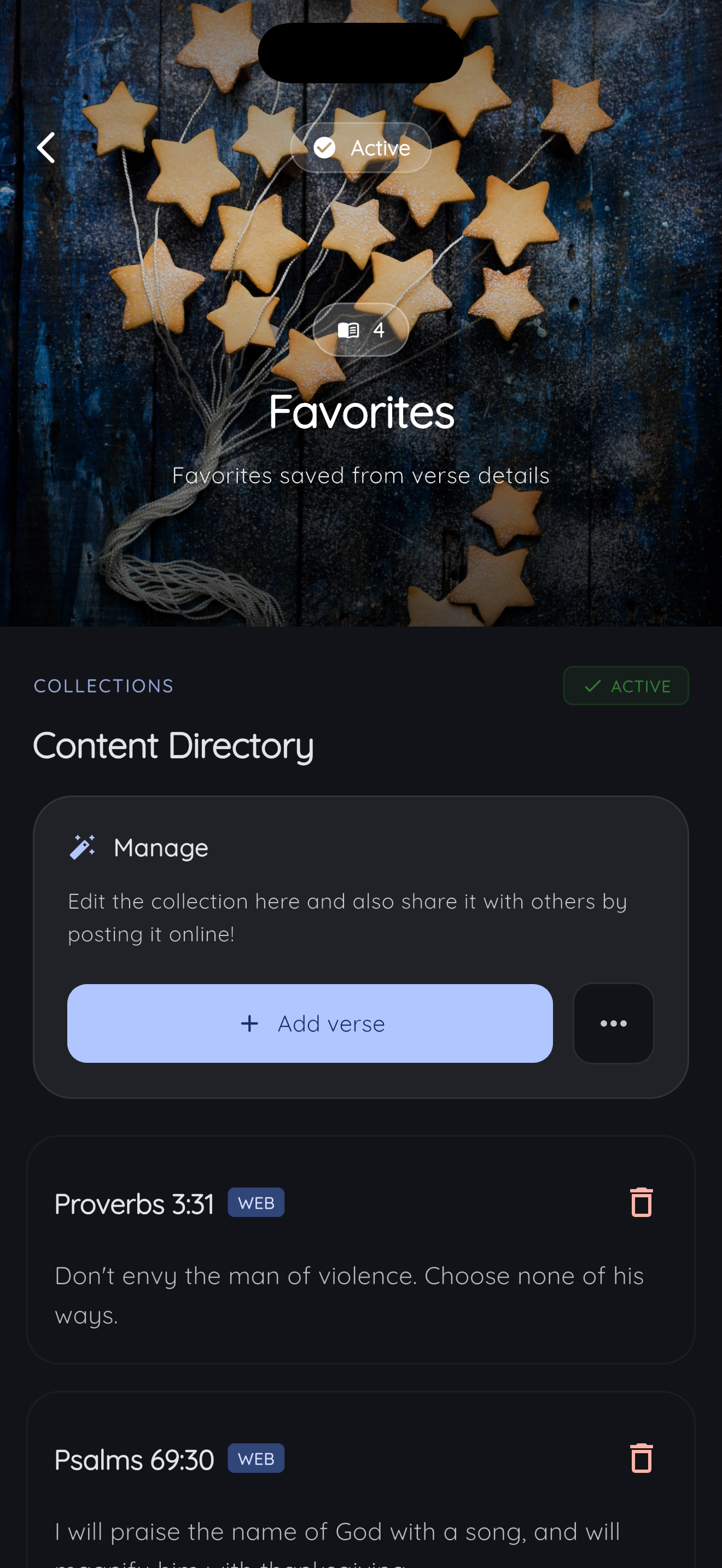
There is still an important edge case: some older custom verses may not have that metadata. Bible Clock 2.14.3 handles those legacy verses more clearly too. Instead of showing unavailable context and insights as if something silently broke, the app gives clearer guidance when Reflection cannot provide those sections for an older manual entry.
That is not flashy, but it builds trust. If a feature depends on verse metadata, users should understand what is available and why.
Clearer prompts when creating collections
Bible Clock 2.14.3 also improves the collection creation flow around Bible Clock Pro.
When you create custom collections or add verses, upgrade prompts are clearer, and the create button is more visible. That makes the boundary between the free experience and Pro features easier to understand without interrupting the purpose of the screen.
The release also includes updated localized copy for the guided picker, tap-for-options hint, Pro prompts, and legacy custom verse guidance across supported app languages. If you use Bible Clock in a language other than English, these flows should feel more complete and easier to follow.
A more personal Scripture display
Bible Clock has been moving toward a simple idea: Scripture should be visible, easy to return to, and personal enough to fit the season you are in.
Time-based verses can turn the current hour and minute into a reminder. Curated collections can keep a theme in front of you. Bible Guide can help when you know what you are facing but do not know where to start.
With Bible Clock 2.14.3, custom collections become easier to shape for yourself.
That means your Christian clock app can be more than a passive display. It can hold the verses you are memorizing, the passages you want your family to see, or the words you need close during a specific stretch of life.
And when one of those verses appears on Home, the next step is close: reflect, save, share, or keep moving through the collection.
Available now
Bible Clock 2.14.3 is available now on iOS and Android.
You can also visit the Bible Clock project page or read more about how time-based Bible verses work in Bible Clock.