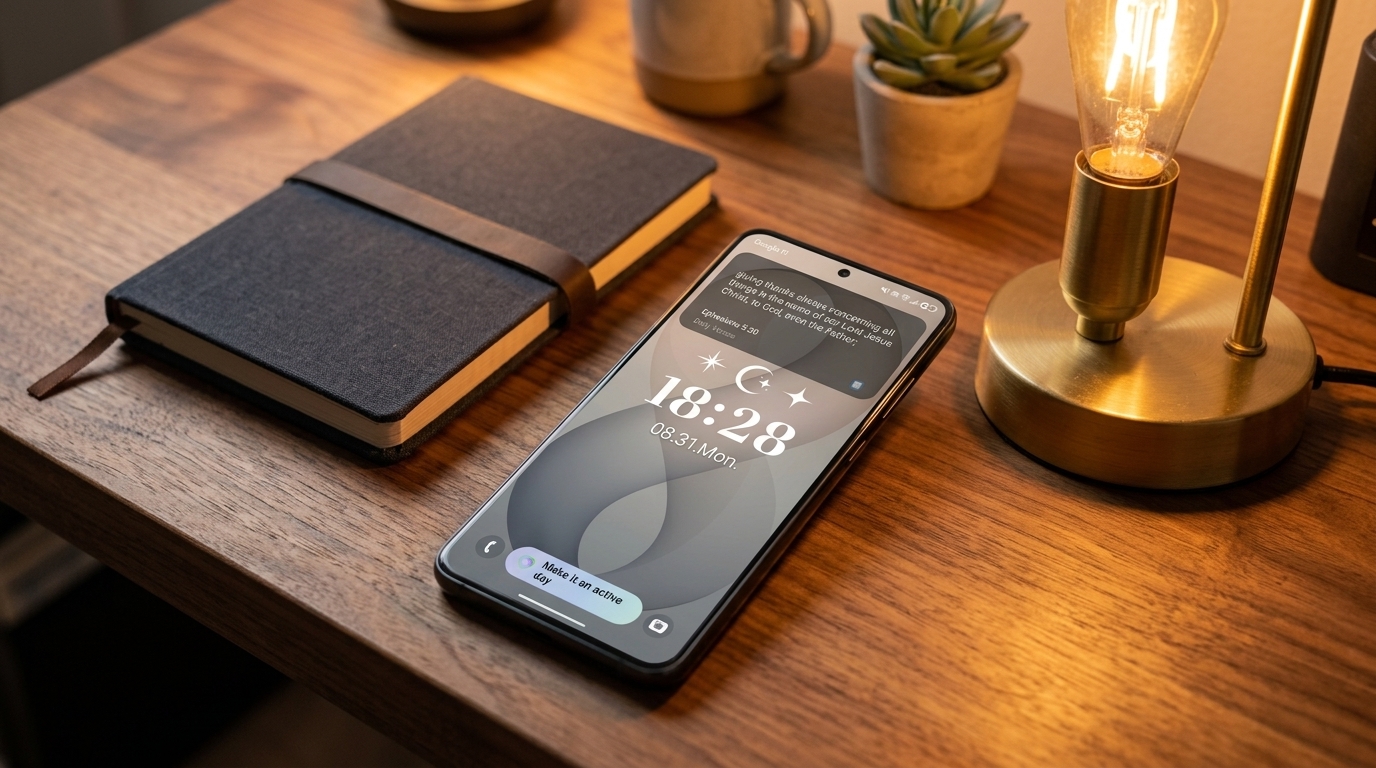
Bible Verse Lock Screen Widget: How to Put Daily Scripture on Your Phone (Bible Clock 2.17)
Transform your lock screen into a clean, daily Scripture card with Bible Clock 2.17—featuring Verse-Only mode, dedicated widget collections, Samsung Good Lock support, and one-tap reflections.
Keep CodeInFaith in your Google feed
Add us as a preferred source to see more of our latest articles in Google Search.
If you pick up your phone dozens of times each day, your lock screen is the most valuable visual space you own.
Instead of greeting yourself with notification clutter or mindless social checks, a Bible verse lock screen widget turns every glance into a quiet reminder of God’s presence, truth, and peace.
With the release of Bible Clock 2.17, putting daily Scripture on your phone screen is easier, cleaner, and more customizable than ever. Whether you want a fresh verse of the day every morning, a dedicated topic like peace or faith on your home screen, or a minimalist Scripture card on your Android lock screen with Good Lock, this update brings the exact tools you need.
Here is everything you need to know about setting up the best Bible verse lock screen widget for your daily routine.
1. Verse-Only Mode: Clean Scripture Without Duplicate Clocks
The biggest challenge with traditional clock and Bible widgets on a lock screen has always been visual duplication. Modern smartphones already have large, beautifully styled system clocks on the lock screen and Always On Display (AOD). Adding a secondary clock widget just to read a verse often felt cramped and redundant.
Bible Clock 2.17 solves this with Verse-Only mode:
- No redundant clock digits: Hides the time so 100% of the widget canvas is dedicated to the Bible verse text and reference.
- Adjustable font sizing: Choose between Normal, Large, and Largest typography for effortless readability at an arm’s length.
- Custom horizontal padding: Tune edge spacing so passages sit naturally within your lock screen layout without getting cut off.
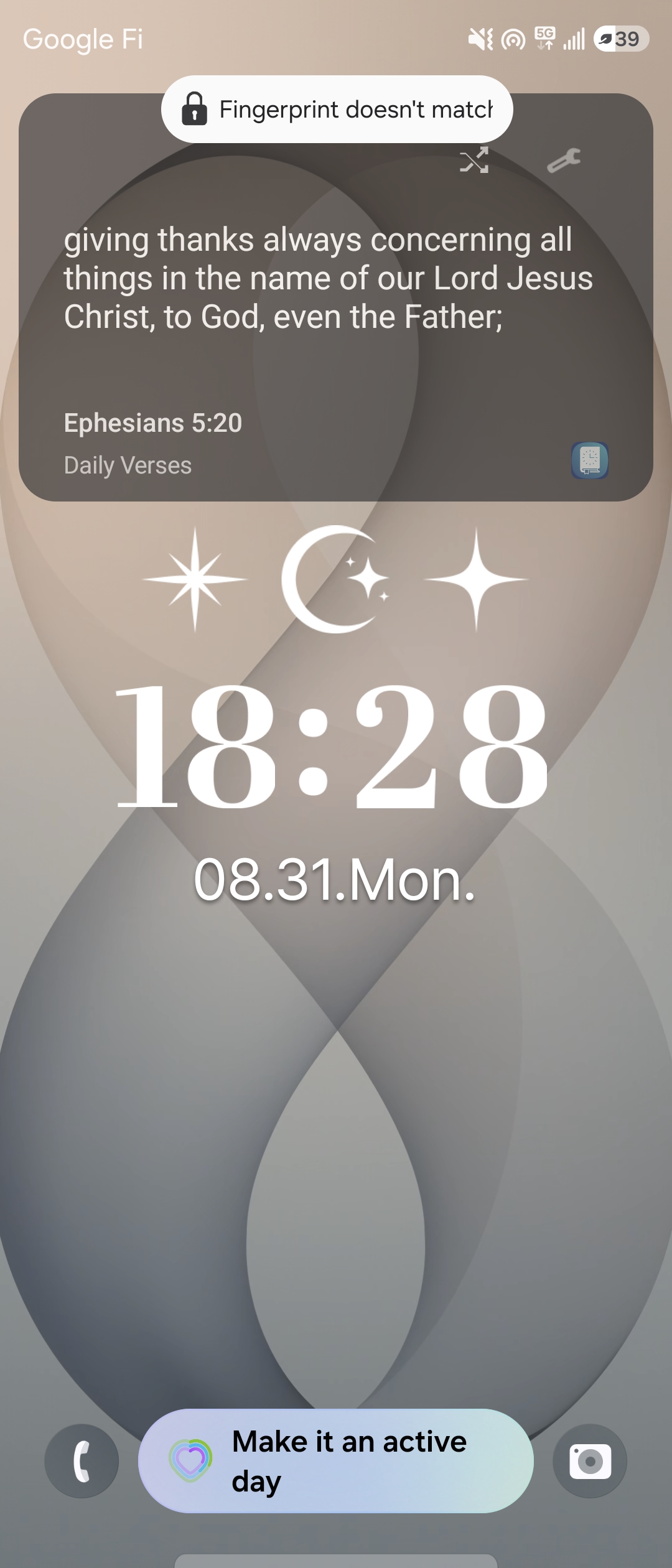
This turns Bible Clock into a pure, distraction-free Scripture lock screen widget that complements your existing device clock rather than competing with it.
Wake up to a fresh Daily Verse every morning
When you pair Verse-Only mode with the Daily Verse collection, your lock screen transforms into a daily devotional anchor. Every morning, a new, curated Bible verse appears automatically—giving you God’s Word before your day even begins.
2. Dedicated Widget Collections: Keep Your Lock Screen Focused
Many believers use Bible apps for deep topical study or reading plans, but want their home and lock screen widgets to remain focused on a specific encouraging theme.
Previously, widgets often mirrored whichever collection was currently open inside the app. In Bible Clock 2.17, the widget now has its own dedicated collection selector:
- Open Bible Clock and tap Settings.
- Navigate to Home Widget > Collection.
- Choose the specific collection you want displayed on your widget.
Your widget will pull Scripture exclusively from that chosen collection, even while you browse other books, translations, or chapters within the app. You can dedicate your lock screen to:
- Daily Verses for steady, daily inspiration.
- Peace & Anxiety for calming reminders throughout stressful workdays.
- Armor of God & Spiritual Strength for focus and perseverance.
- Custom Pro Collections with verses you and your family are memorizing together.
3. How to Put a Bible Verse Widget on Samsung Galaxy Lock Screen (Good Lock & LockStar)
While Bible Clock 2.17 brings widget enhancements, dedicated collections, and one-tap reflections to both iOS and Android, Android users—especially on Samsung Galaxy devices—enjoy an exclusive superpower: using Samsung’s Good Lock suite (via the LockStar module) to place the full Bible Clock app widget directly onto the lock screen and Always On Display.
Step-by-Step Good Lock Setup:
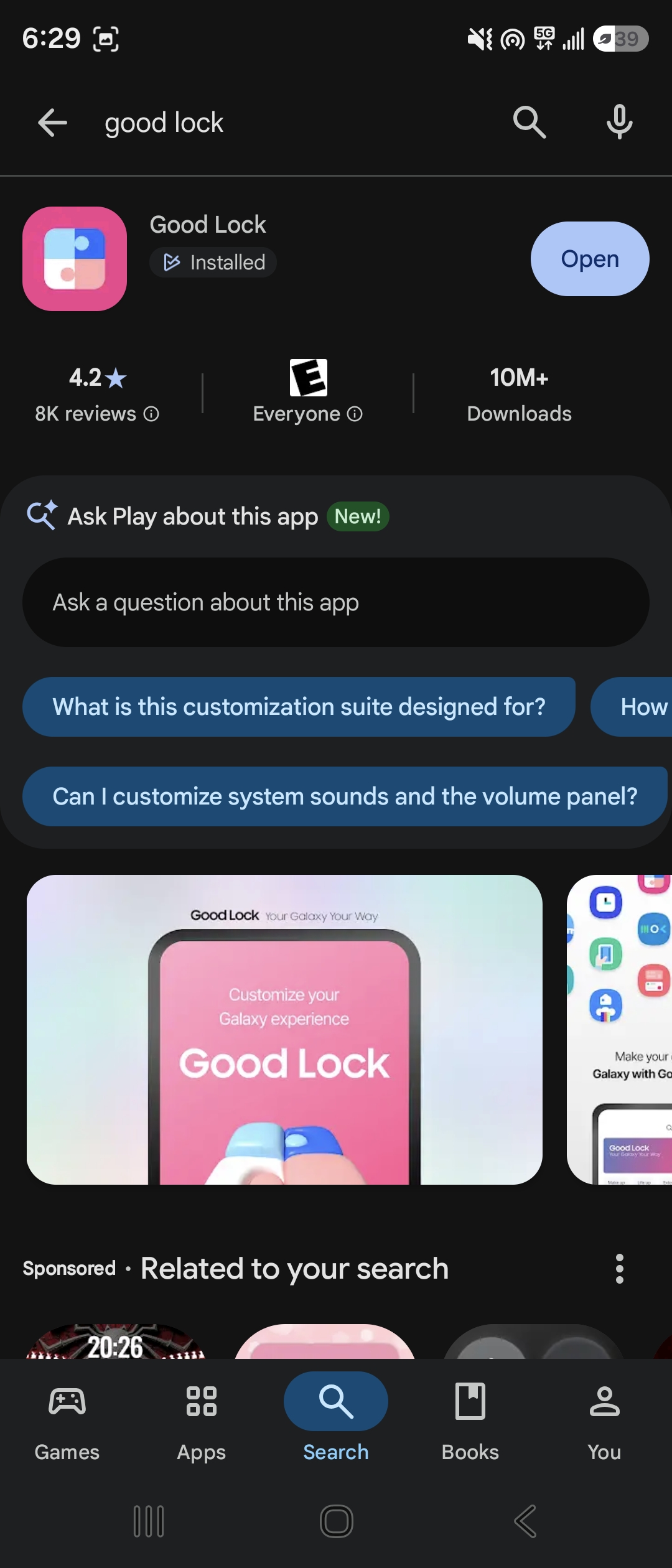
- Install or open Good Lock: Available from the Samsung Galaxy Store or Google Play Store.
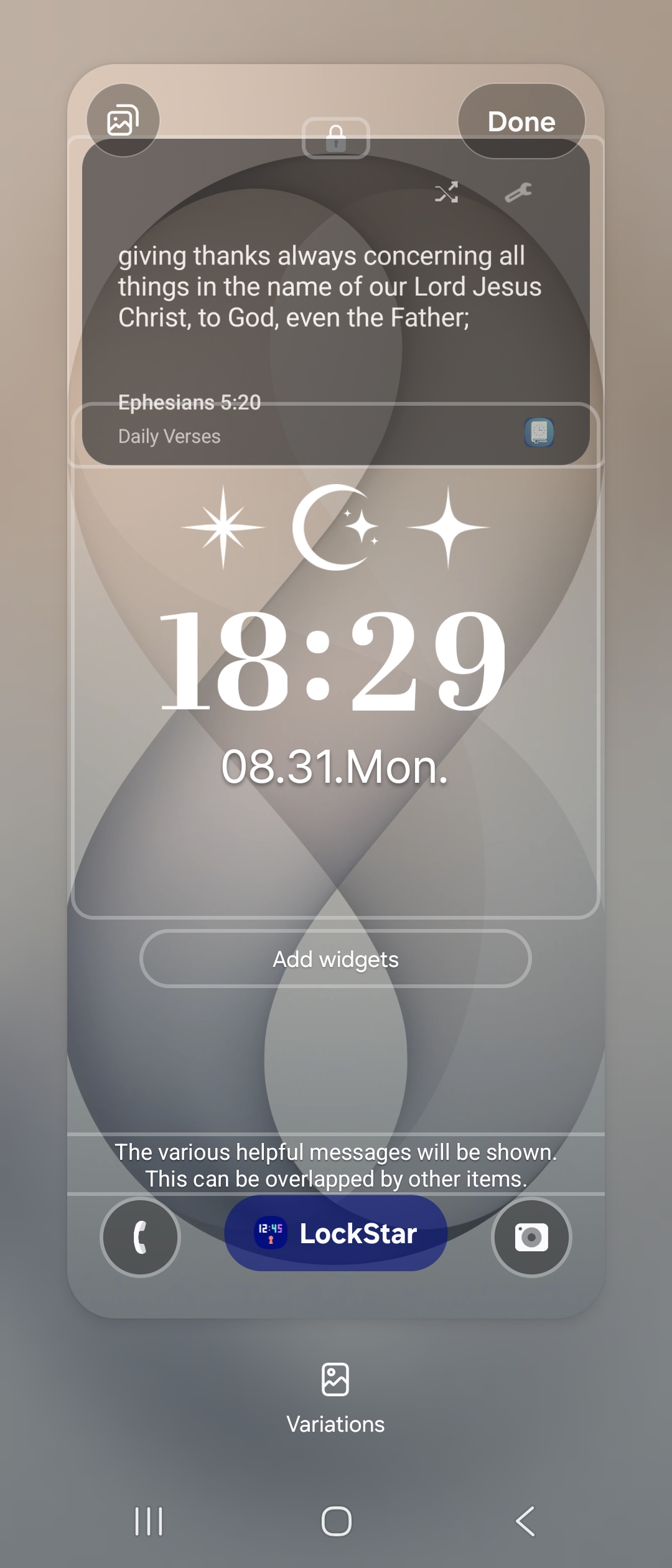
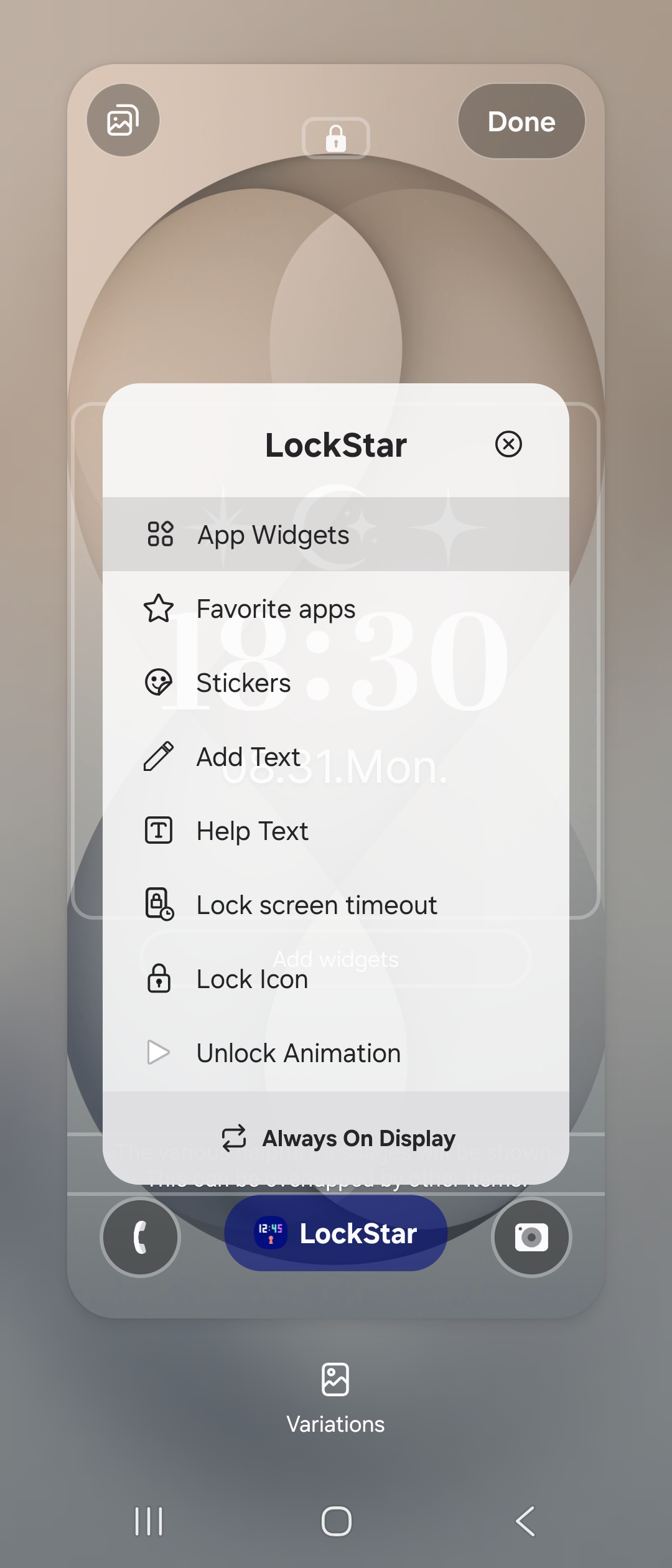
- Open LockStar: Tap the LockStar plugin inside Good Lock to edit your lock screen layout.
- Select App Widgets: Tap into the LockStar menu and choose App Widgets.
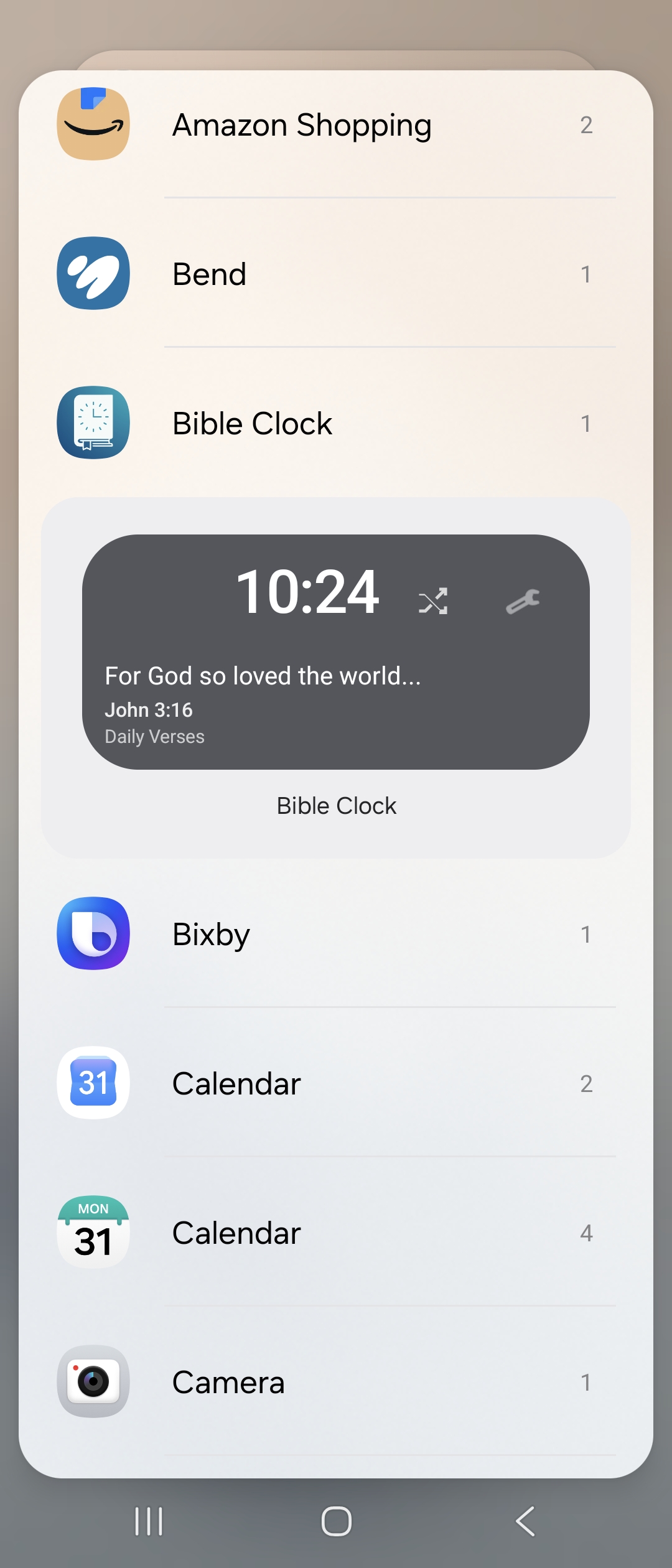
- Choose Bible Clock: Find Bible Clock in the widget catalog.
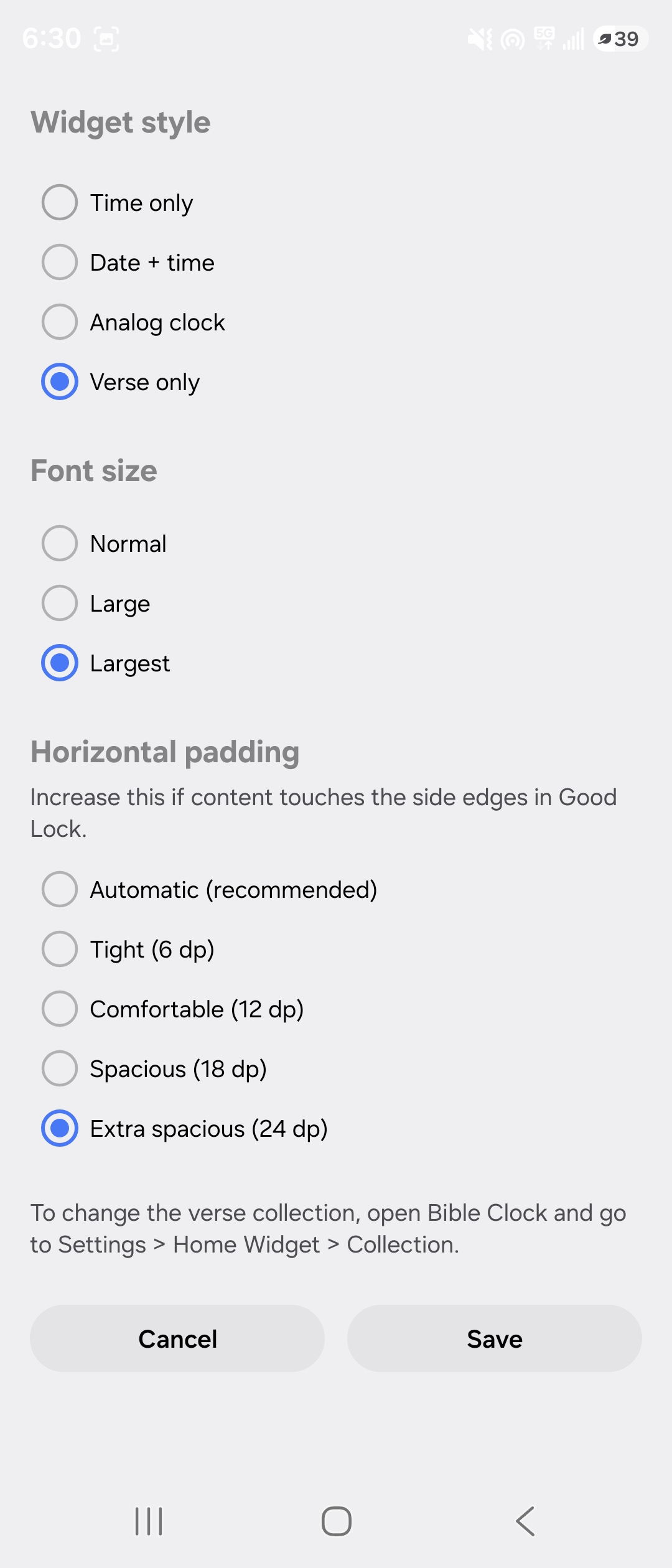
- Configure Verse-Only Style: Select Verse only, set font size to Largest, and choose Extra spacious (24 dp) horizontal padding for clean margins.
- Position and Save: Drag the Scripture widget above or below your lock screen clock and tap Save.
4. One-Tap Reflection: From a Glance to Deep Devotion
Glancing at Scripture on your lock screen is powerful, but sometimes a passage speaks directly to where you are and you want to pause and go deeper.
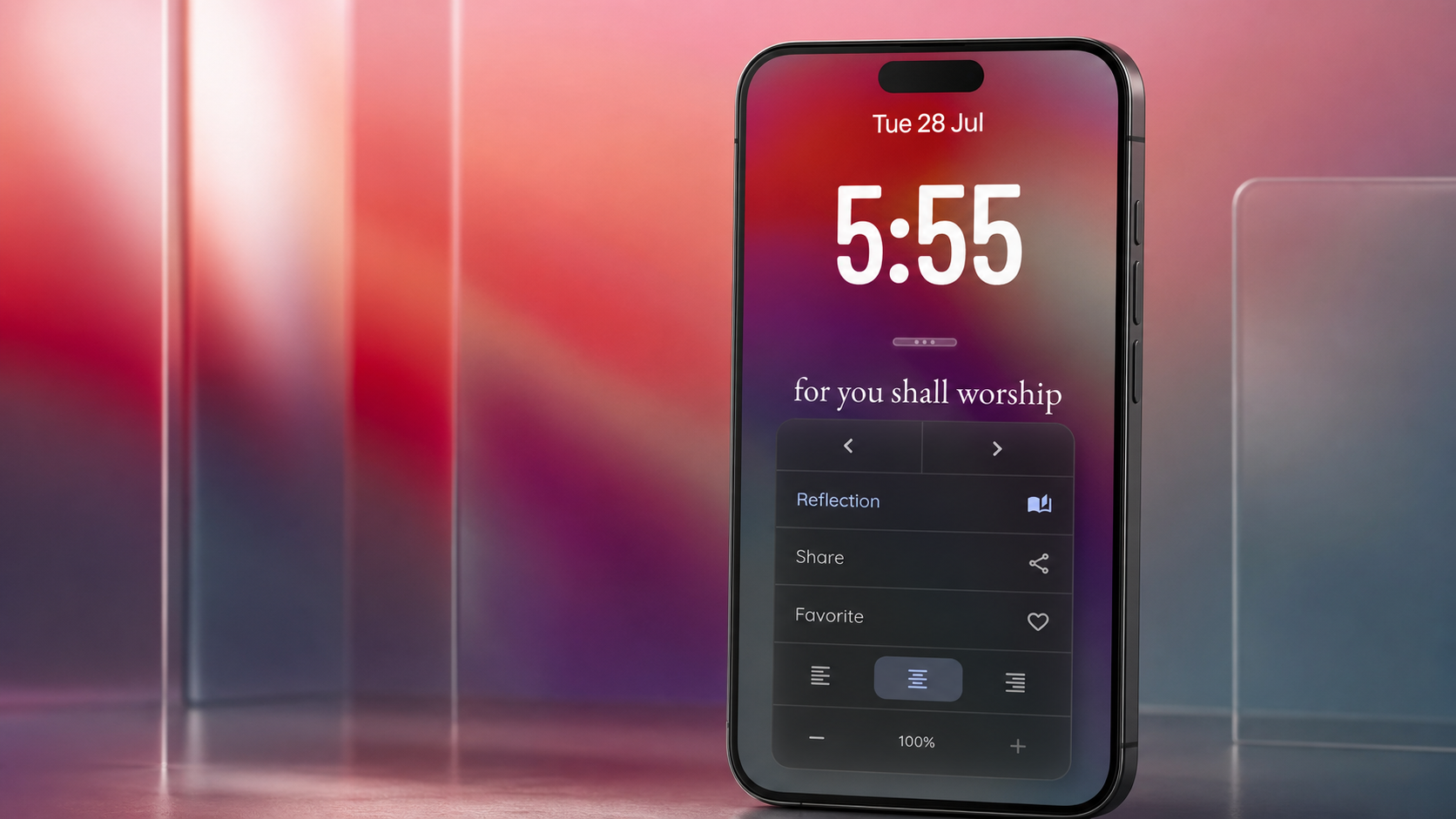
In Bible Clock 2.17, tapping the Bible Clock widget opens directly into the Reflection view for that specific verse.
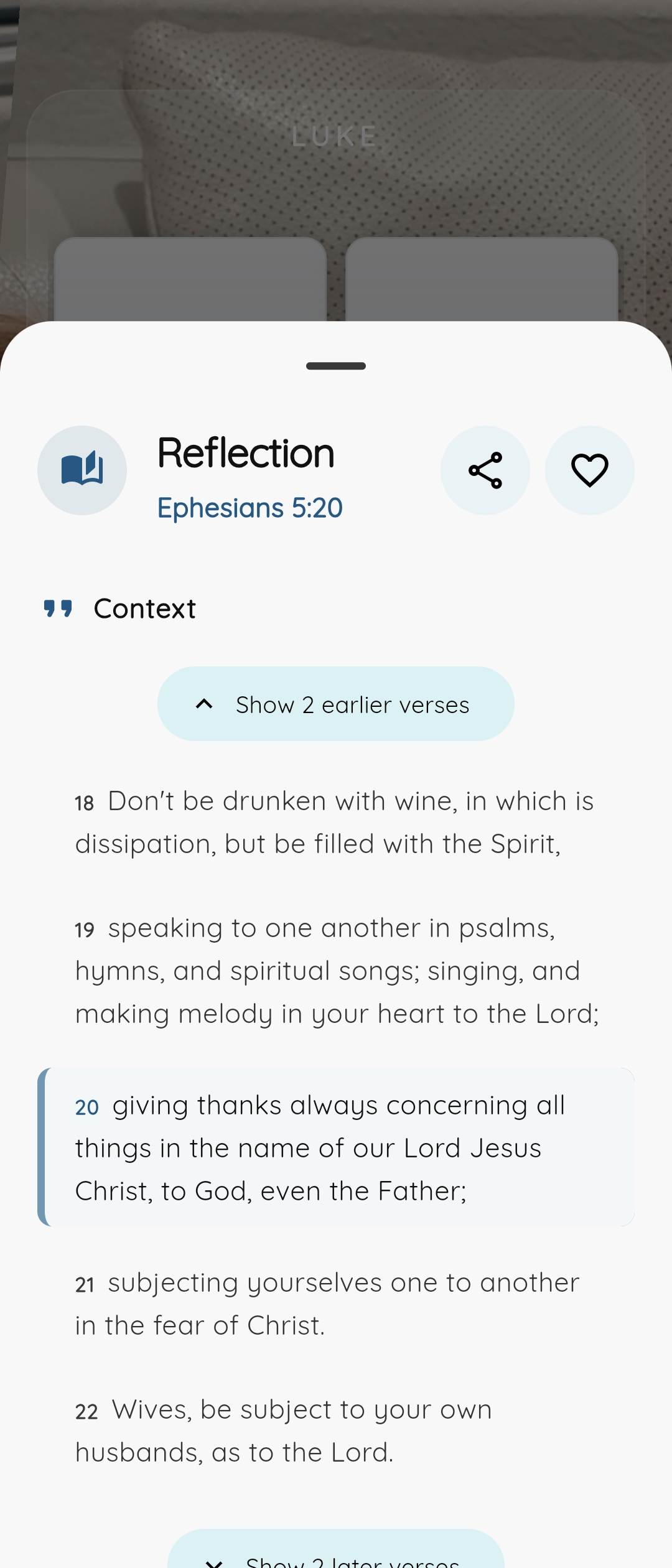
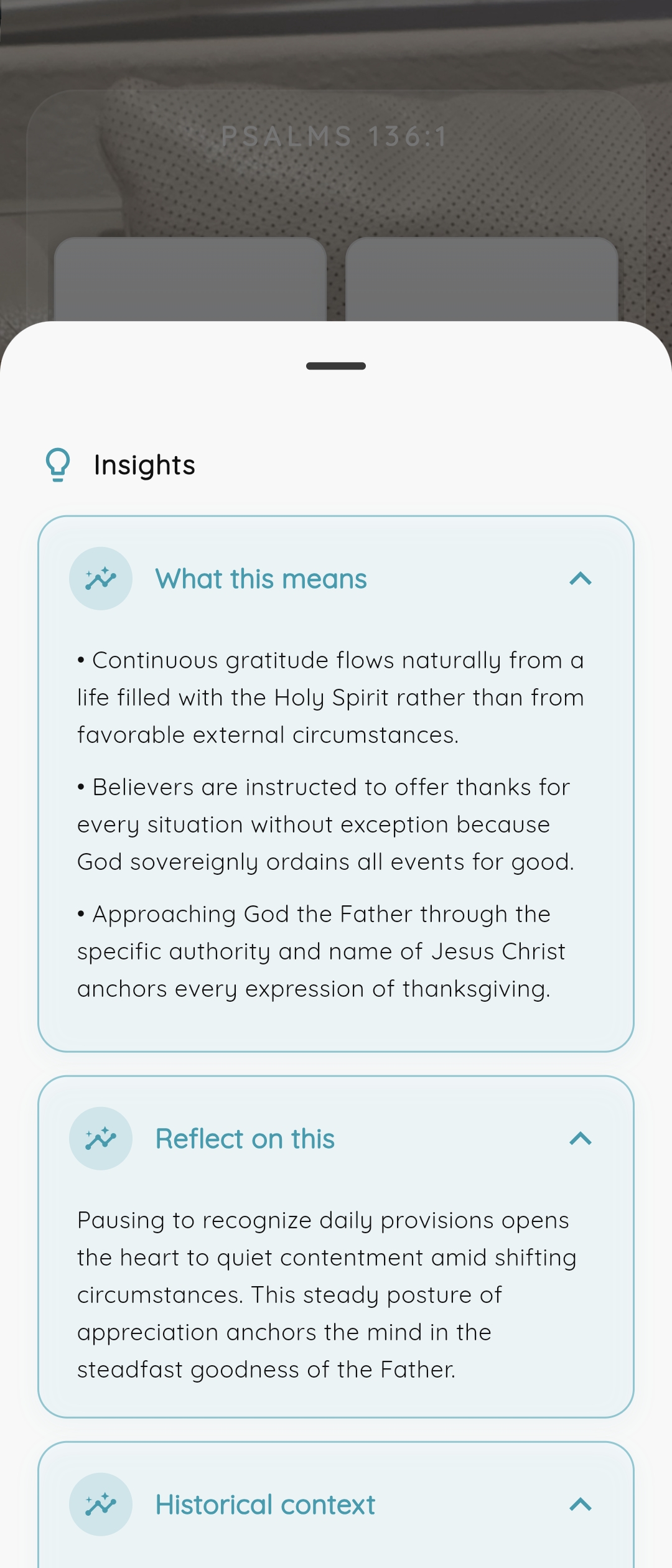
Instead of opening a generic home menu, one tap immediately reveals:
- Surrounding Chapter Context: Read preceding and succeeding verses to understand the full biblical message.
- Guided Reflection & Prayer Prompts: Meaningful takeaways to help apply the verse to your day.
- Quick Actions: Bookmark to your favorites or share the verse with friends and family.
This bridges the gap between passive ambient Scripture and active daily devotion.
Why Bible Clock is the Best Bible Lock Screen Widget
| Feature | Bible Clock 2.17 | Standard Bible Widgets |
|---|---|---|
| Verse-Only Mode | ✅ Yes (no duplicate clocks) | ❌ Often fixed with clock |
| Dedicated Widget Collection | ✅ Yes (choose in Settings) | ❌ Locked to app state |
| Fresh Daily Collection | ✅ Automatic fresh verse daily | ❌ Often static / manual |
| Direct-to-Reflection Tap | ✅ Yes (deep-links to verse) | ❌ Generic app launch |
| Samsung Good Lock (LockStar) | ✅ Full layout & padding support | ⚠️ Often cut off |
| Multiple Translations | ✅ Supported | ⚠️ Limited |
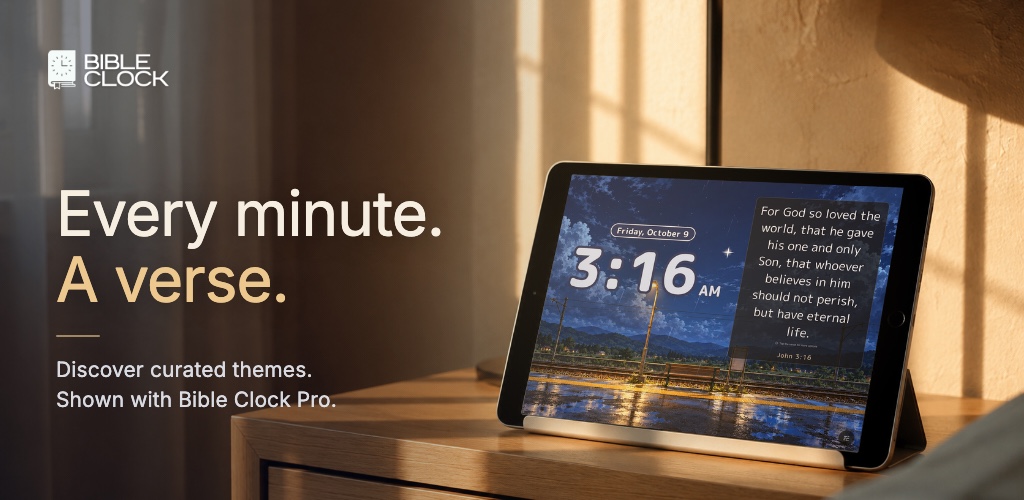
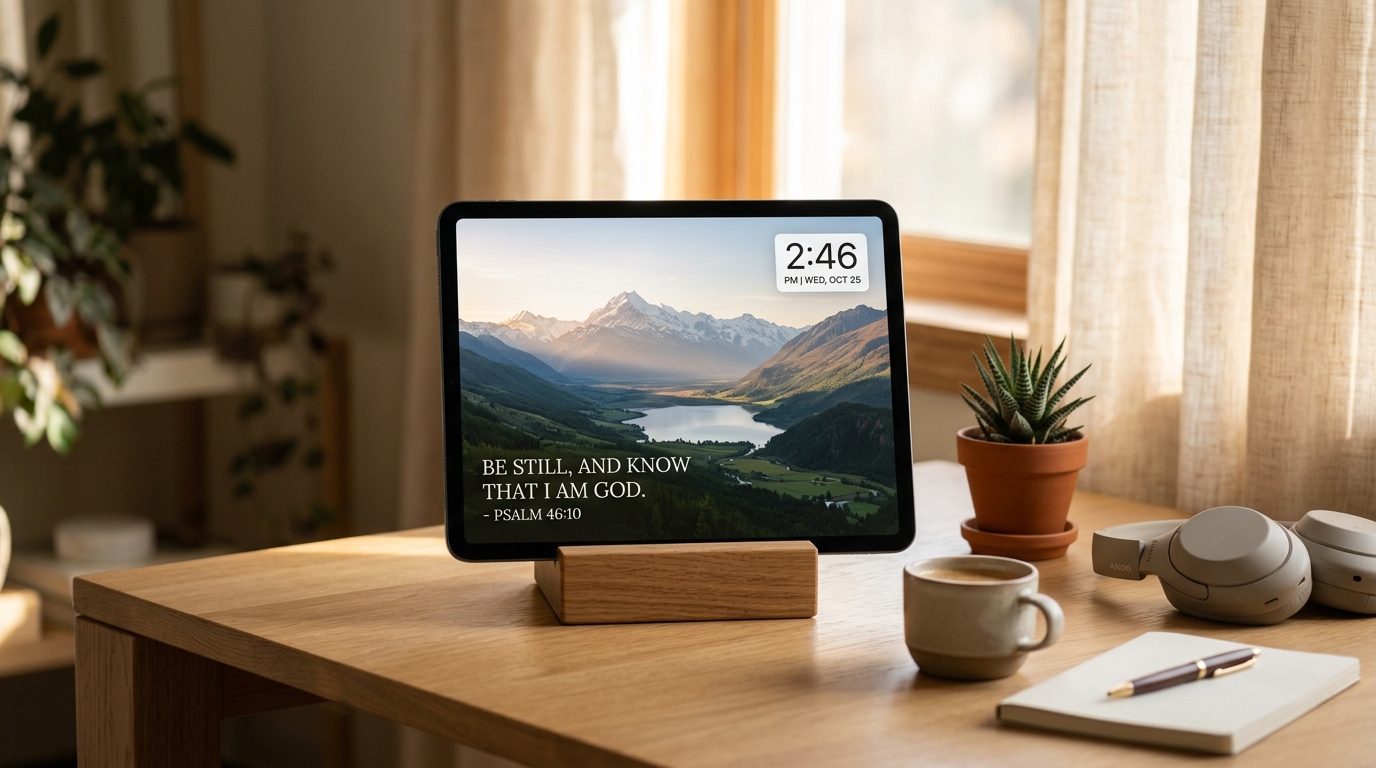
| Tablet Ambient Display Mode | ✅ Full-screen bedside & desk clock | ❌ Mobile widget only |
Start Your Day in Scripture
Whether you are looking to build a consistent Scripture habit, reduce digital anxiety, or keep God’s Word front and center, Bible Clock 2.17 makes your phone a peaceful, faith-filled companion.
Download or update Bible Clock today on iOS and Android:
Learn more about features, tutorials, and ambient displays on the Bible Clock project page.
Frequently asked questions
Can I display only Bible verses on my lock screen without duplicate clocks?
Yes. Bible Clock 2.17 includes a dedicated 'Verse only' widget style. This hides the digital clock digits so you can place a pure Scripture card right next to your system lock screen clock without clutter.
How do I add the Bible Clock widget to my Samsung Galaxy lock screen using Good Lock?
Install Good Lock from the Galaxy Store or Google Play Store, open the LockStar module, tap 'App Widgets', select 'Bible Clock', configure it to 'Verse only', adjust font size and horizontal padding, and tap Save.
Can I get a new Bible verse on my lock screen every day?
Yes. In Bible Clock Settings, set your dedicated widget collection to 'Daily Verse'. Your lock screen widget will automatically present a fresh, inspiring Bible verse each morning.
What happens when I tap the Bible verse lock screen widget?
Tapping the Bible Clock widget instantly opens the app directly into the Reflection view for that specific verse, showing the surrounding passage context, devotional insights, and prayer prompts.